The BR Live Room in Myriad Cloud is the equivalent to the BR Live Studio in a traditional on premise setup, and as such, sits alongside the core Myriad Cloud system.
Occasionally, after long periods of use, stability and connection issues can arise. With the BR Live Studio app in a traditional on-premise installation, you would simply restart the software, which would rectify the situation in most cases.
The situation is slightly more complex for Myriad Cloud (Native) users as there is no software to restart.
To further complicate matters, restarting your Myriad Cloud system will also not help as the BR Live Room exists outside of your Myriad Cloud instance.
Instead you need to follow these steps:
- Go to Bbroadcast.Radio > Settings > BR Live Rooms
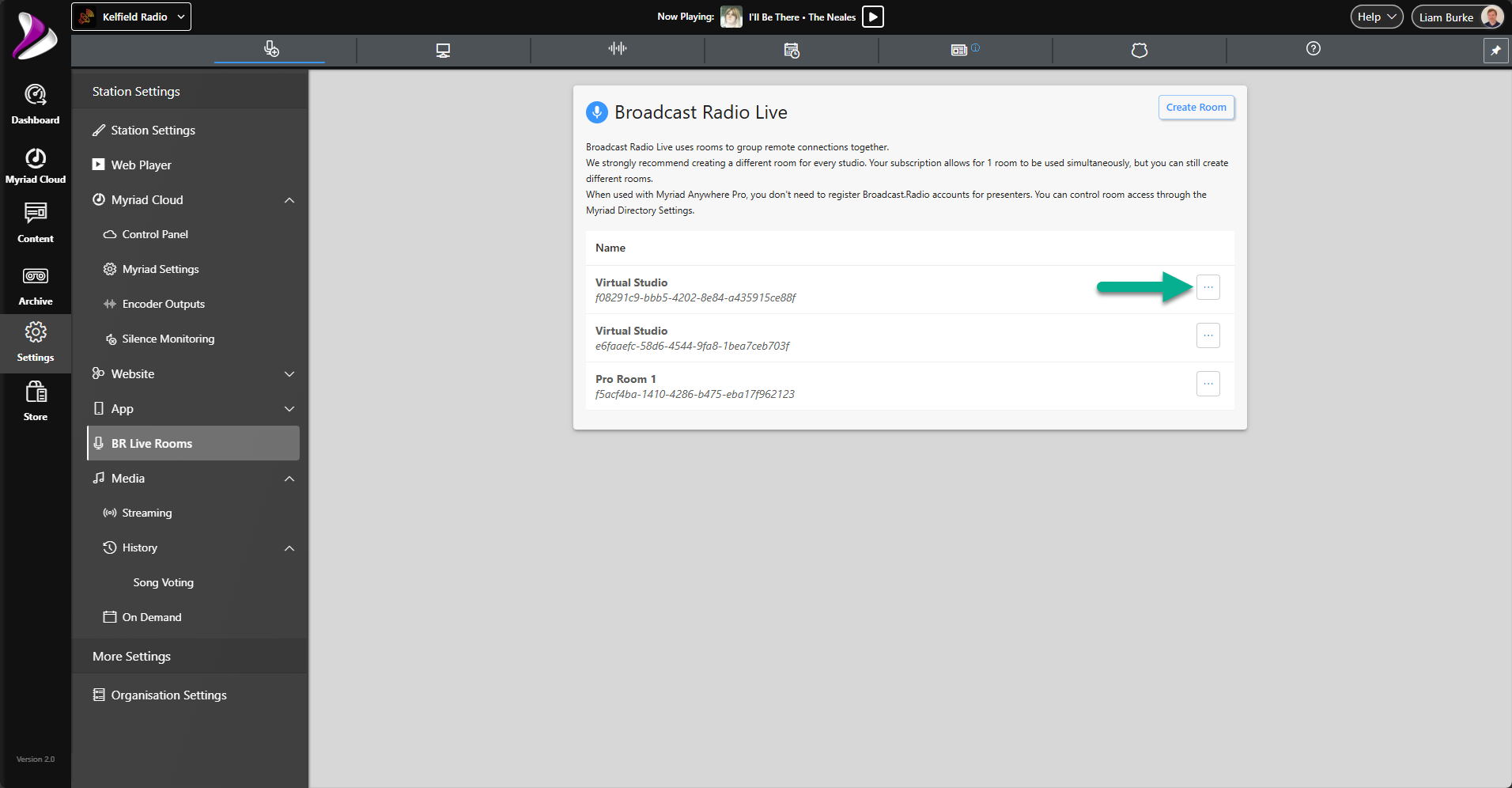
- Click on the three dots by the affected BR Live Room.
- Select the Delete option.
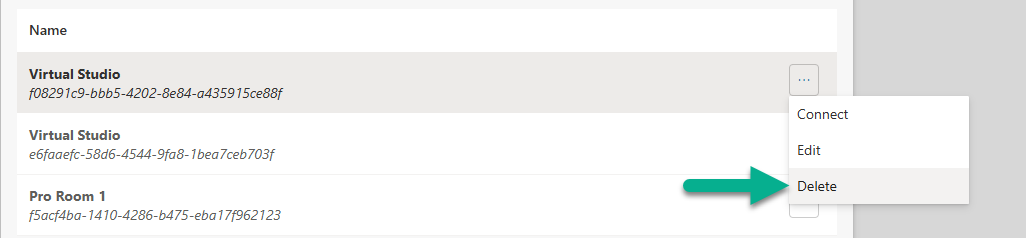
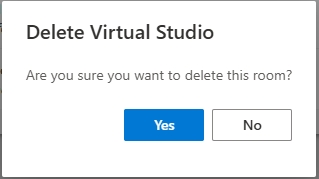
- Confirm the Delete process.
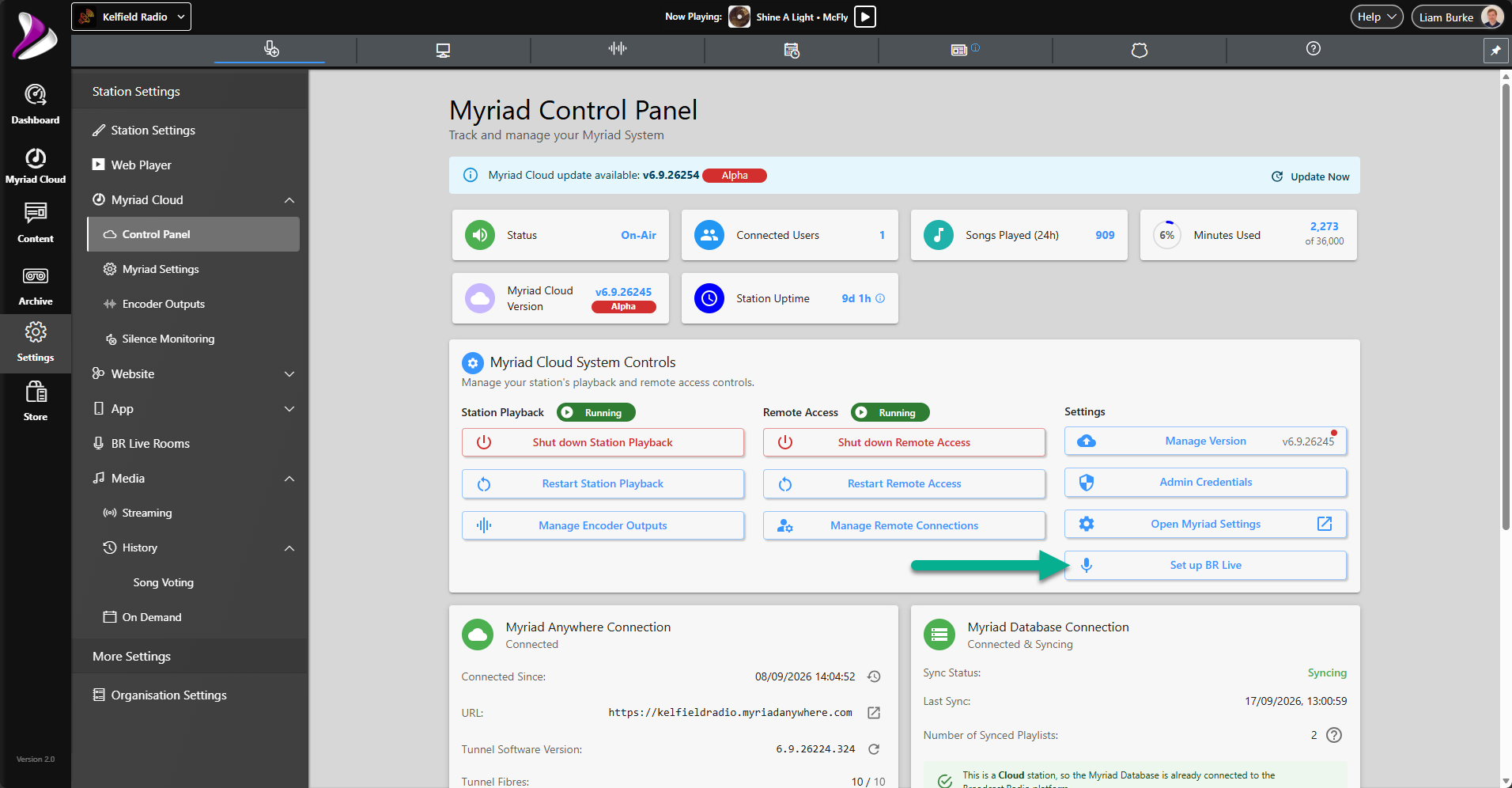
- Next head to Broadcast.Radio > Settings > Control Panel.
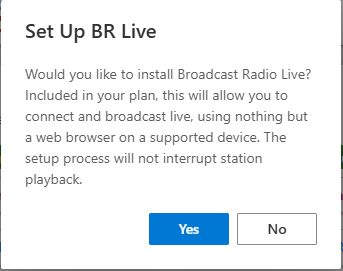
- Click on the Setup BR Live Room button.
- Confirm when prompted.
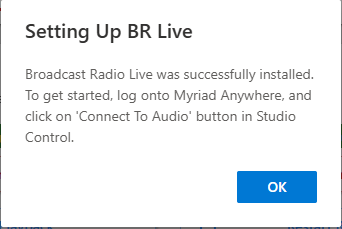
- You will see a conformation when the Live Room is created and attached to your Myriad Cloud system.
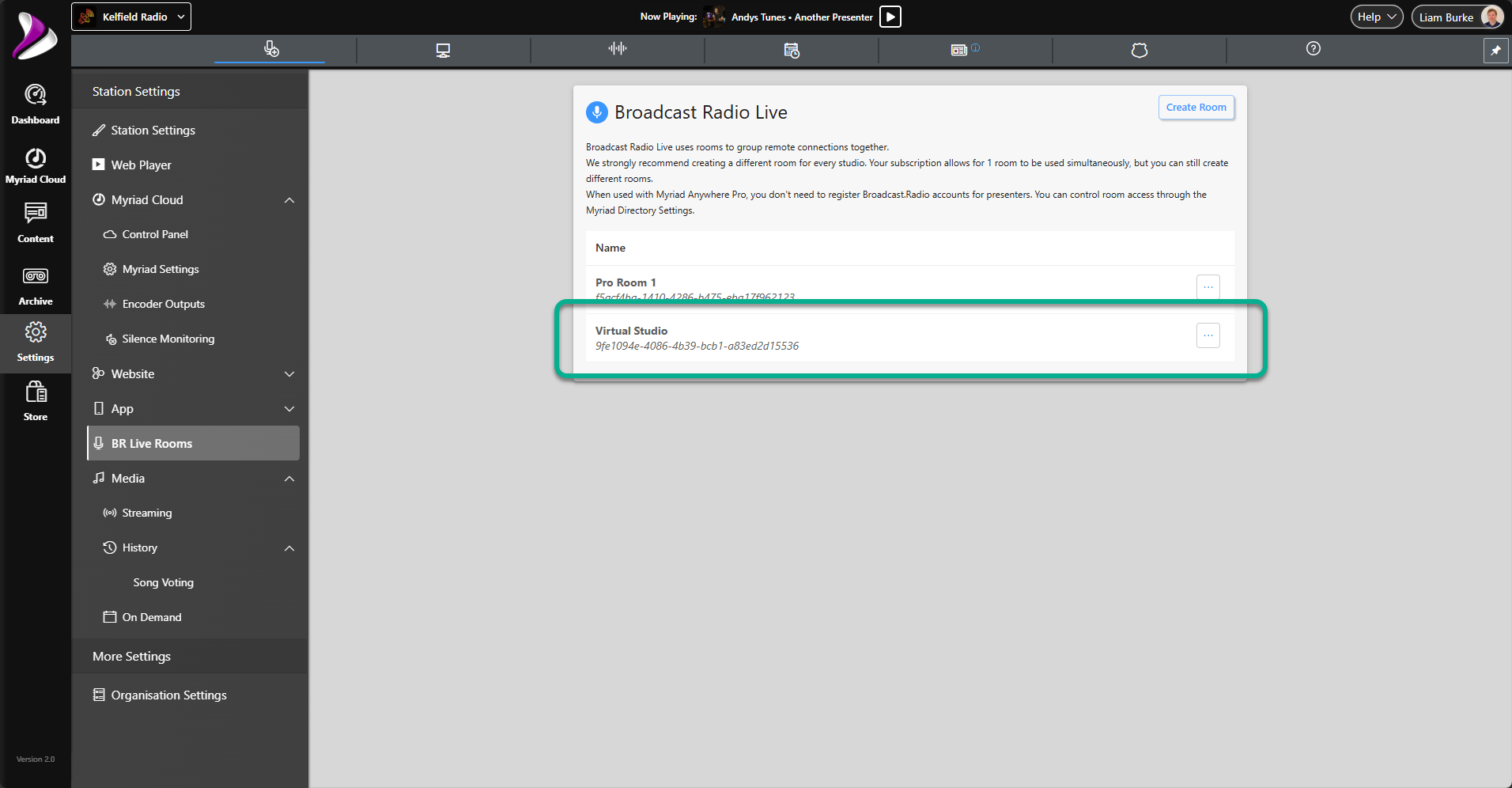
- If you return to Broadcast.Radio > Settings > BR Live Room, you will see the newly created BR Live Room listed.
If your problem persists after deleting and recreating your BR Live Room, contact our support team at support@broadcastradio.com
Was this article helpful?
That’s Great!
Thank you for your feedback
Sorry! We couldn't be helpful
Thank you for your feedback
Feedback sent
We appreciate your effort and will try to fix the article