The My Account section in the Broadcast.Radio portal allows you to view and edit your personal account information including contact details, security options and access to your personal contribution stream (Myriad Cloud customers only).
1. Login to your Broadcast.Radio portal.
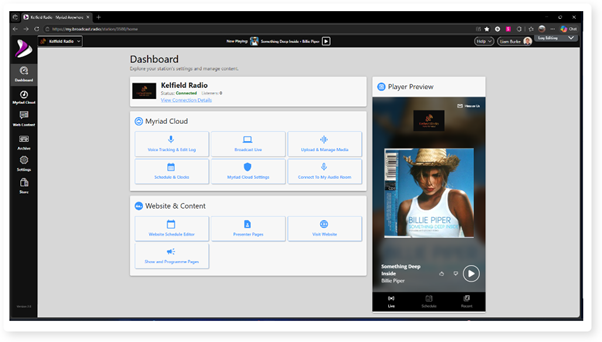
2. To access your 'My Account' settings, locate the User icon in the top right.
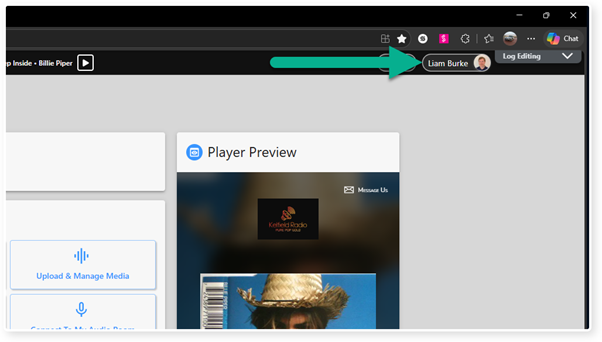
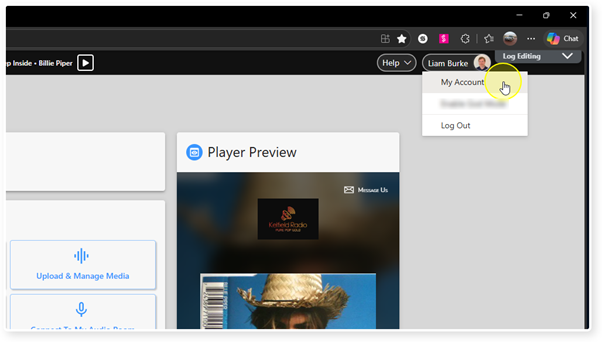
3. Click to access the drop down options and select My Account.
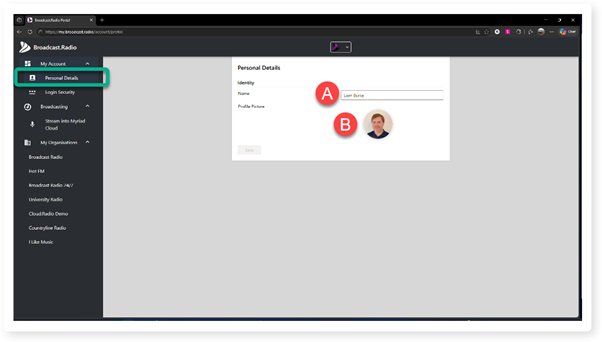
4. The Personal Details page allows you to edit your Name and upload a profile picture.
A. Type in the name you would like to use with this account.
B. Click to upload a profile picture.
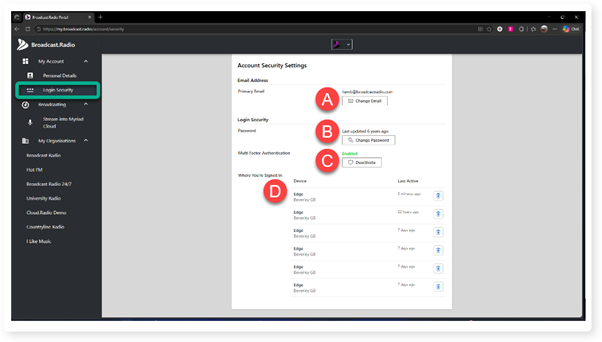
5. The Login Security option is used to edit login details and change multi-factor security options.
A. Click to edit the email address linked to this account.
B. Click to change the password for the account.
C. Enable or deactivate multi-factor security (using the MS Authenticator app).
D. Browser recent login history.
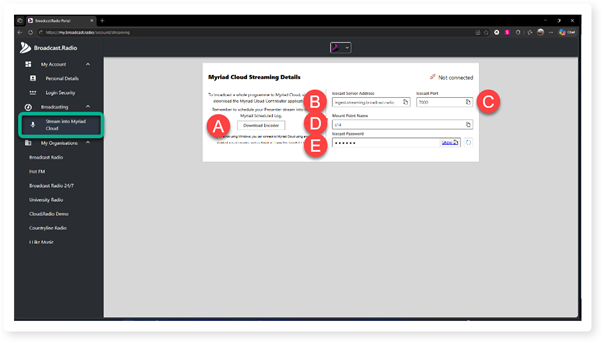
6. Users associated with one or more Stations using Myriad Cloud, are automatically generated a 'User Contribution Stream' which can be used to contribute streamed content to Myriad Cloud stations. To access the details for your personal Contribution Stream, select the Stream Into Myriad Cloud option.
A. Click to download the Myriad Cloud Contributor app.
B. Icecast server address to add to your encoder solution.
C. Port to add to your encoder solution.
D. Unique mount point to add to your encoder solution.
E. Password to add to your encoder solution. You can click on Show to reveal the password or click on the copy button to copy the password.
Use the Copy button by each field to copy the details.
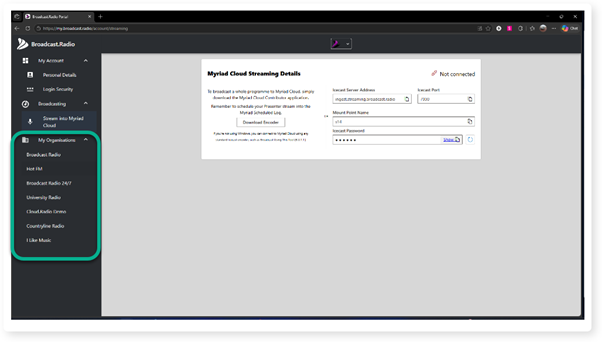
7. Finally, you can expand the My Organisations menu option to see a list of all Stations your account is associated with.
Click on a Station in the list to open their Dashboard.
Was this article helpful?
That’s Great!
Thank you for your feedback
Sorry! We couldn't be helpful
Thank you for your feedback
Feedback sent
We appreciate your effort and will try to fix the article