The Programme Schedule feature in the Broadcast.Radio portal allows you to assign Programmes (Shows) or Presenters to hours of the week. These can then be displayed in your Web Player and optional Mobile apps.
1. Login to your Broadcast.Radio portal.
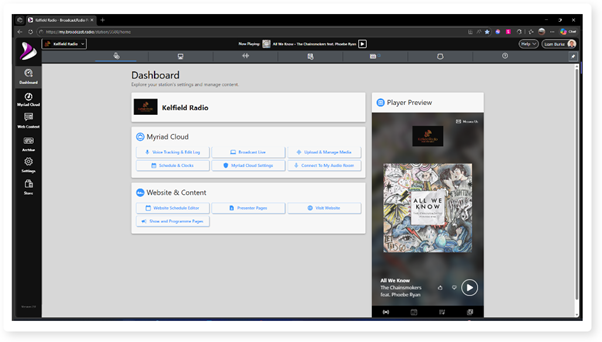
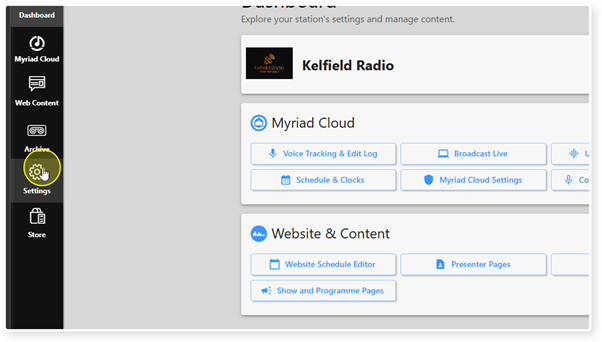
2. Click on the Settings menu.
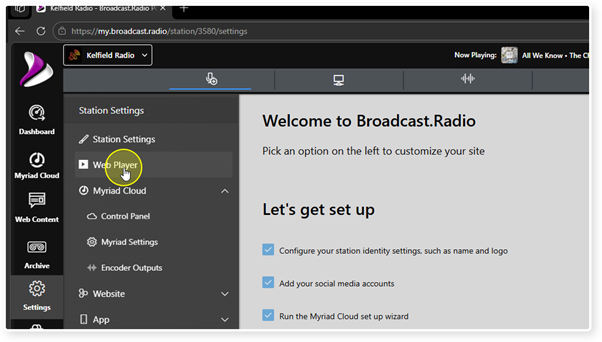
3. Select the Web Player option.
4. Toggle the Show Programme Schedule option to enable or disable the Schedule tab in Tabbed mode and the Schedule section in Full Page mode.
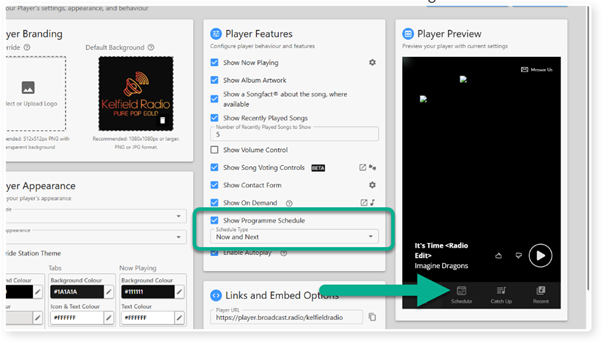
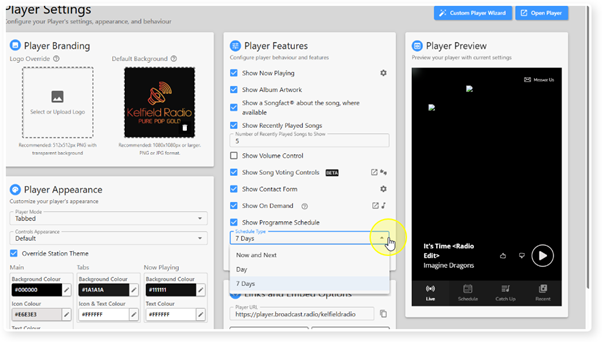
5. You can also select how much of the Programme Schedule should be displayed in the Web Player using the Schedule Type drop down.
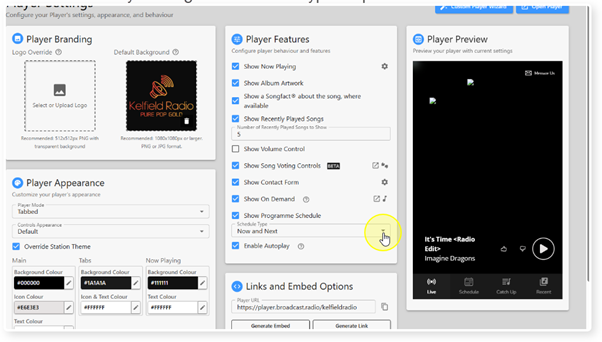
6. The options are:
Now and Next - Only list the current and next Programmes.
Day - Show all the Programmes listed for 'today'.
7 Days - Show a scrollable list of all Programmes for the next seven days.
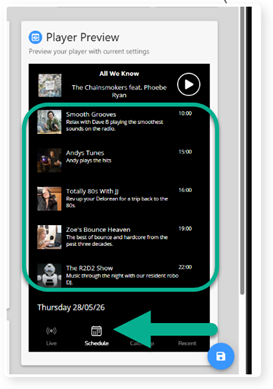
7. The Programme Schedule will be displayed in the Schedule Tab (Tabbed mode) or the Schedule section (Full Page mode).
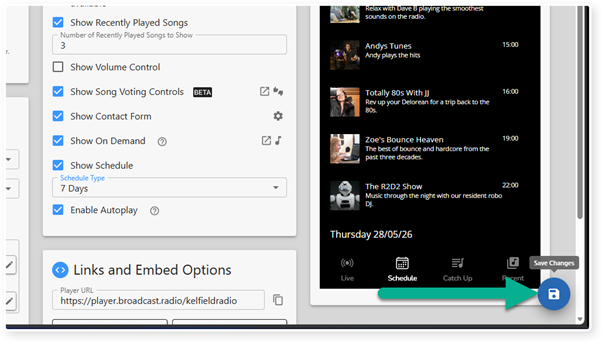
8. Click Save to save the Web Player options.
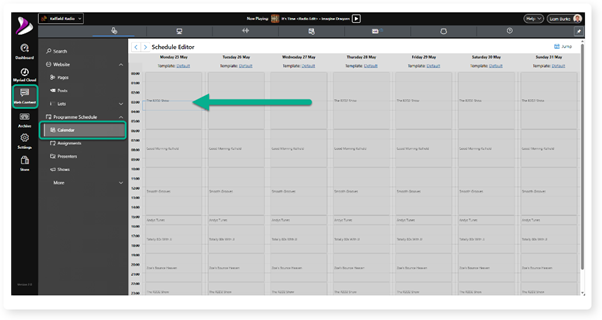
9. You can view and edit the Programmes assigned to dates and hours via Web Content > Programme Schedule > Calendar.
Creating and editing the Programme Schedule is covered in a dedicated help article.
Was this article helpful?
That’s Great!
Thank you for your feedback
Sorry! We couldn't be helpful
Thank you for your feedback
Feedback sent
We appreciate your effort and will try to fix the article