There are several options for playing Media Items directly from the Media Wall.
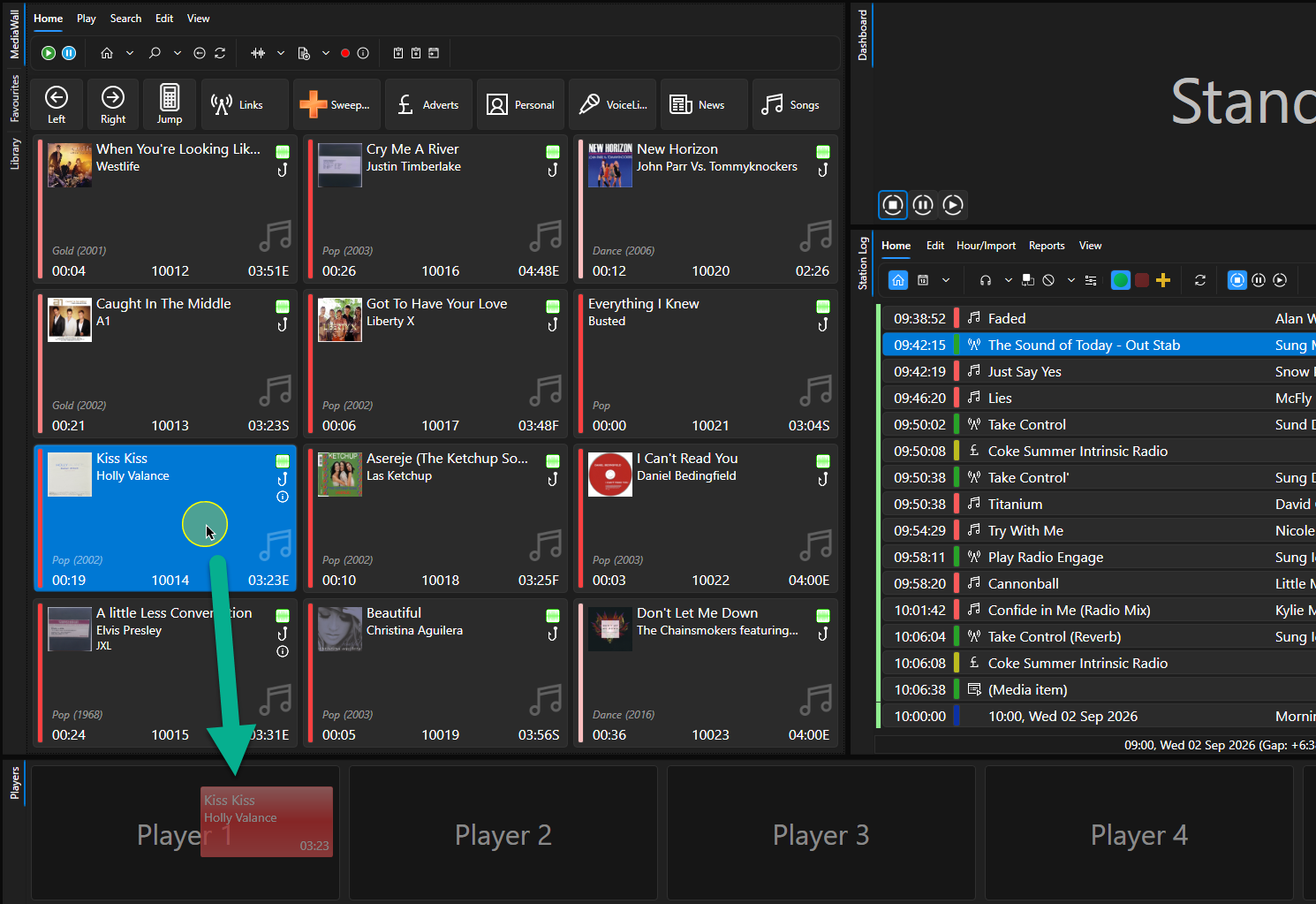
1. Option 1 - Drag the Media Item directly into an empty Media Player.
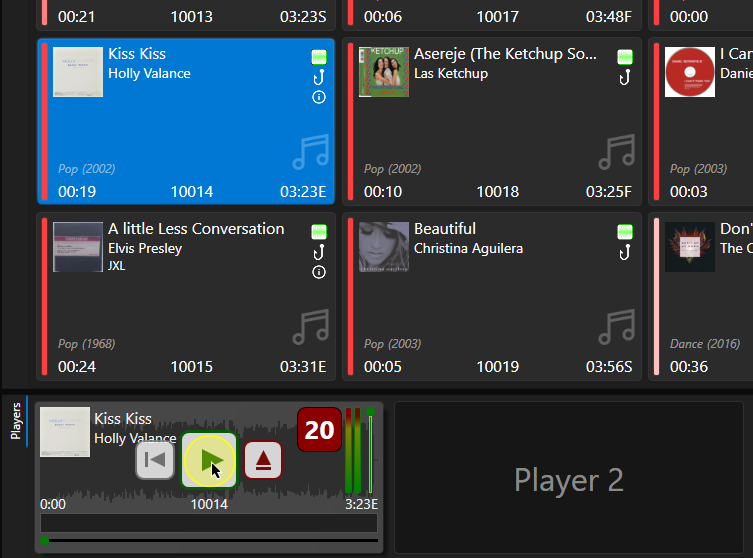
2. Once the Media Item is cued, click on the Play button on the Media Player.
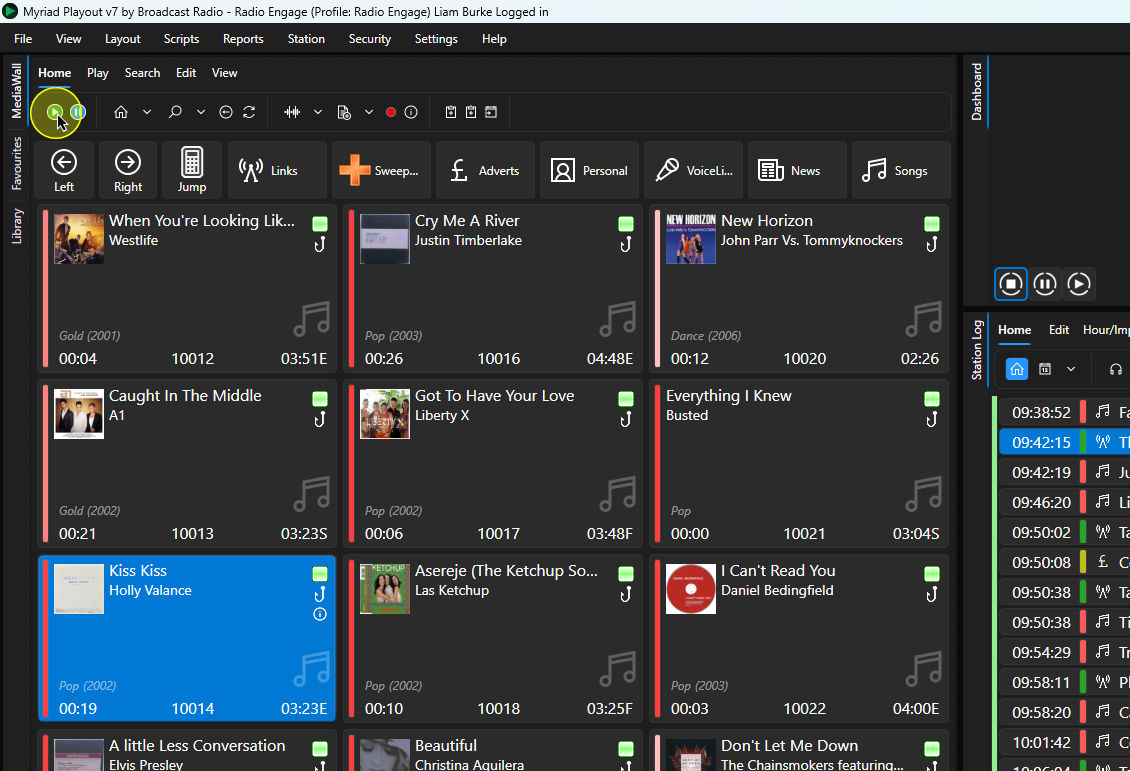
3. Option 2 - Highlight a Media Item and click on the Play Button on the Media Wall ribbon.
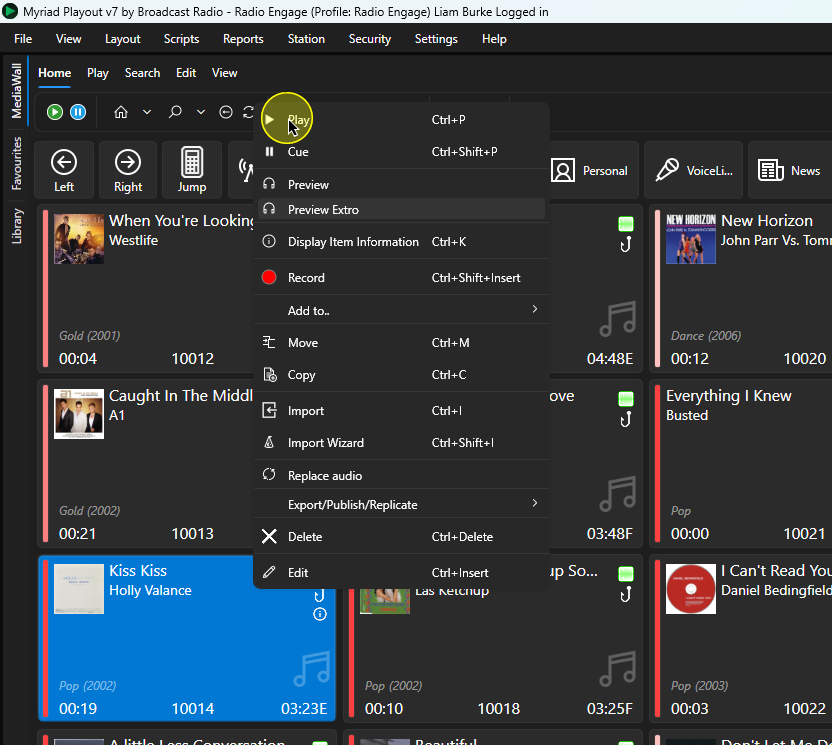
4. Option 3 - Right click on a Media Item and select the Play option (you can also use Ctrl+P).
Was this article helpful?
That’s Great!
Thank you for your feedback
Sorry! We couldn't be helpful
Thank you for your feedback
Feedback sent
We appreciate your effort and will try to fix the article