You can generate HTML code that can be used to open the Web Player from a button or other click-able element in a 3rd party website using the Generate Link options.
You will need some HTML experience to use the generated code on your own website.
1. Login to your Broadcast.Radio portal.
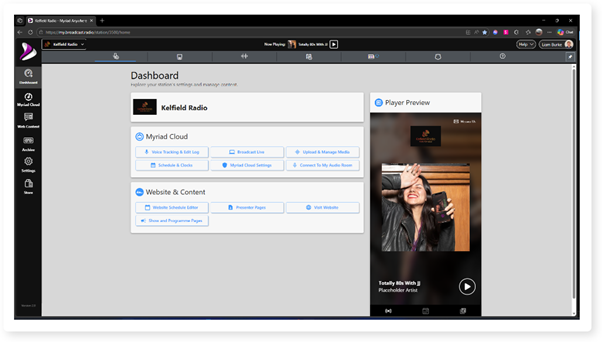
2. Click Settings.
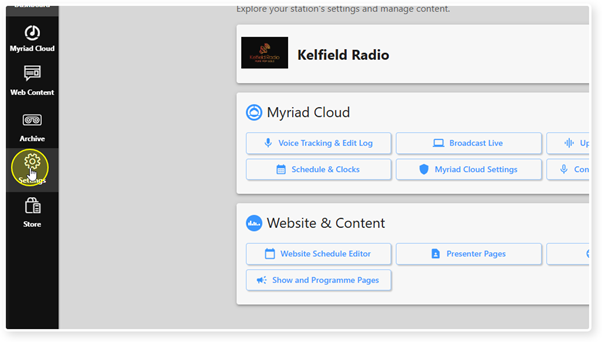
3. Select the Web Player option.
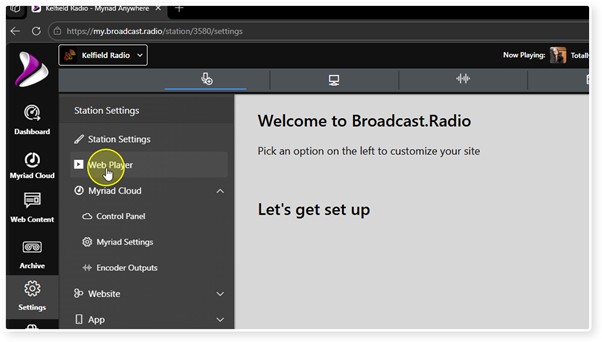
4. Scroll down to the Links and Embed Options section.
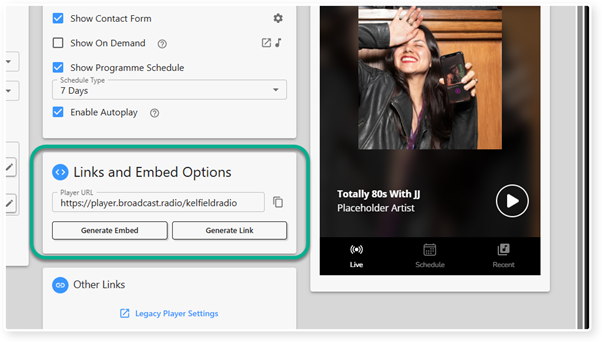
5. Click on the Generate Link button to open the Generate Link window.
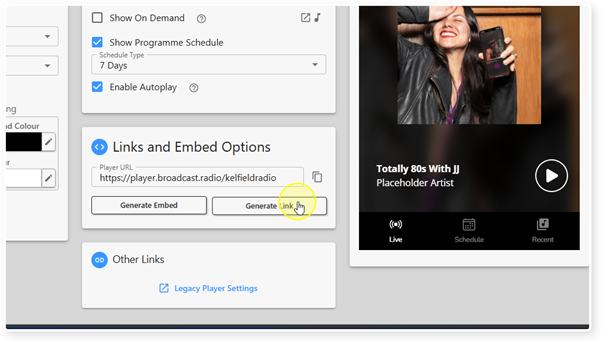
6. By default, the Generate Link code generates a small click-able button that appears on your webpage.
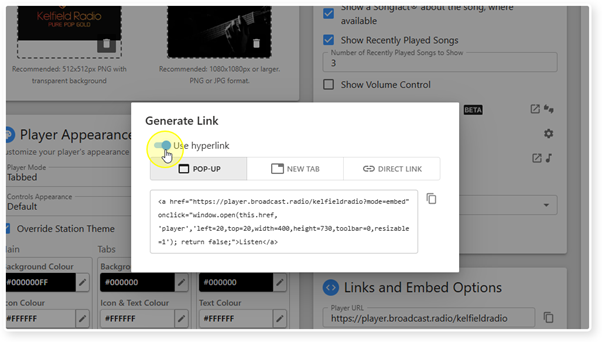
If you toggle the Use Hyperlink button, the button is replaced with the text 'Listen' as the clickable link.
You can change the text displayed by editing the last section of the HTML cpse and replacing the word Listen with your new text.
Whether using the Hyperlink option or the default button, the way the Web Player is displayed will be set using the Pop-up / New Tab / Direct Link options.
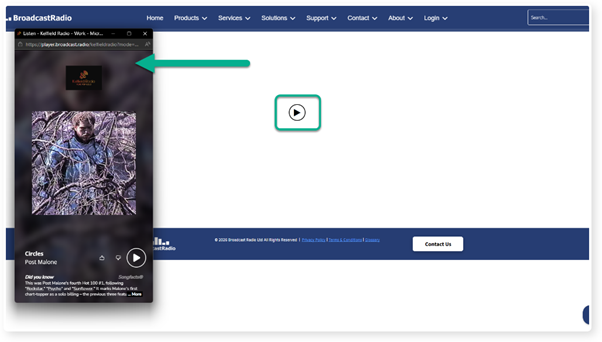
7. You can use the Pop-up / New Tab / Direct Link options to set how the Web Player will be displayed when triggered.
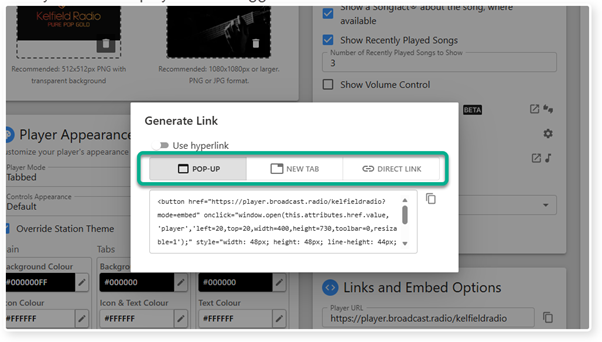
8. If you select the Pop-up option, the Web Player will be displayed in a dediarted
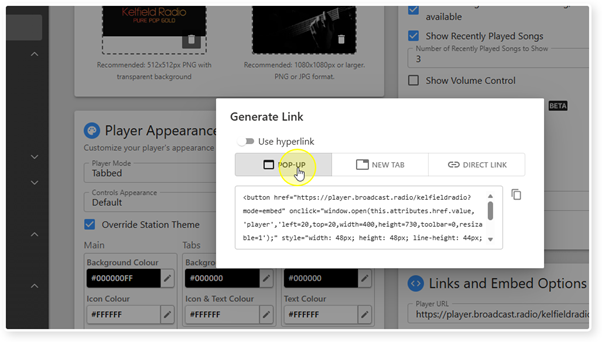
9. If you select the New Tab option, the Web Player will open in a new browser tab.
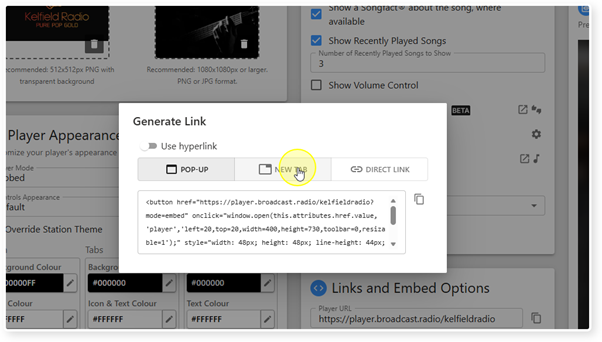
10. The Direct Link creates a simple web URL that you can use in your own HTML to access the Web Player
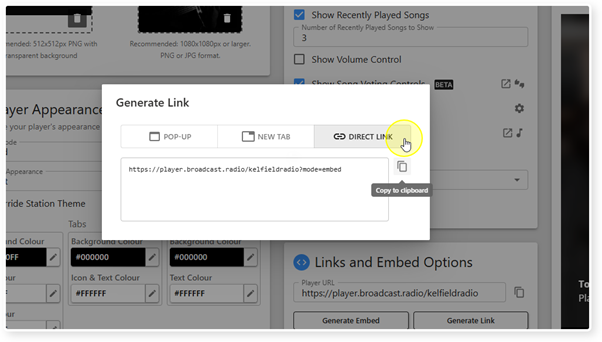
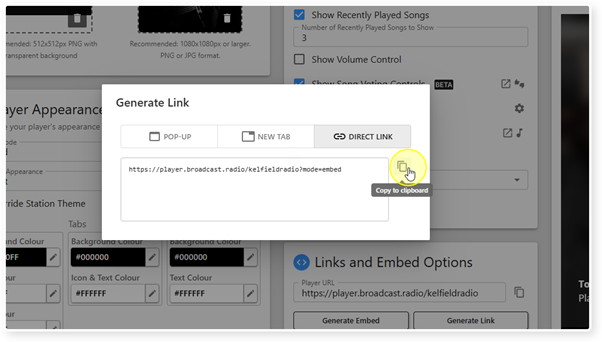
11. Once you are happy with your Generate Link options, click on the Copy button to copy the code to the clipboard.
12. In your 3rd party website CMS, add an HTML widget (sometimes called an element or a block) and paste the generated code into the HTML section.
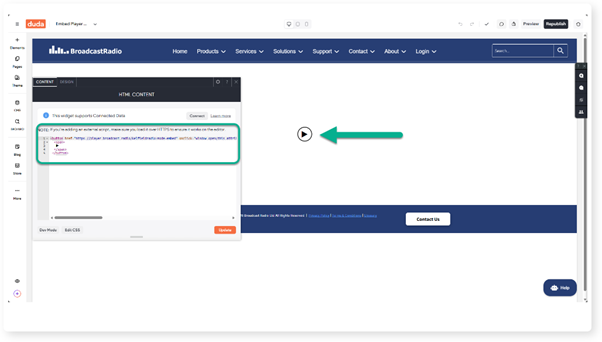
13. Once published, your 3rd party website will now display the Link Button or Link Text. Clicking it will launch your Web Player.
Was this article helpful?
That’s Great!
Thank you for your feedback
Sorry! We couldn't be helpful
Thank you for your feedback
Feedback sent
We appreciate your effort and will try to fix the article