If you have enabled Song Voting on your Web Player, you can view the voting results in the Media > History section of the Broadcast.Radio portal.
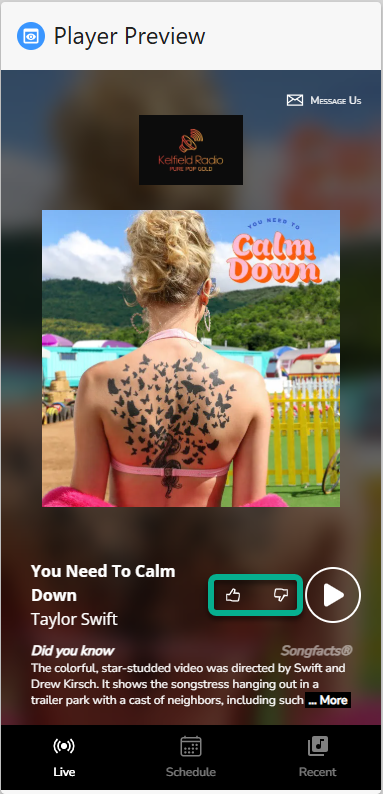
1. Login to your Broadcast.Radio portal.
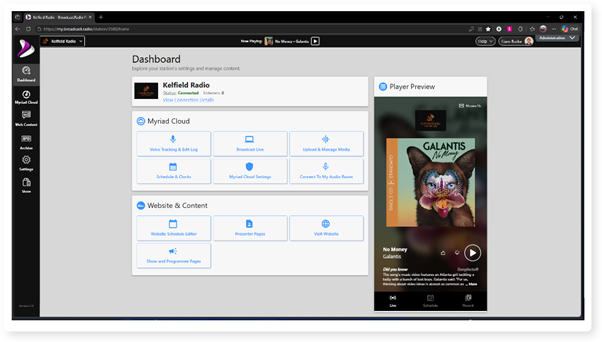
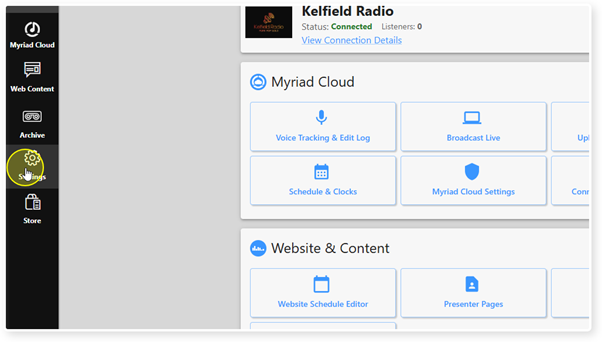
2. Click on the Settings option.
3. Expand the Media option.
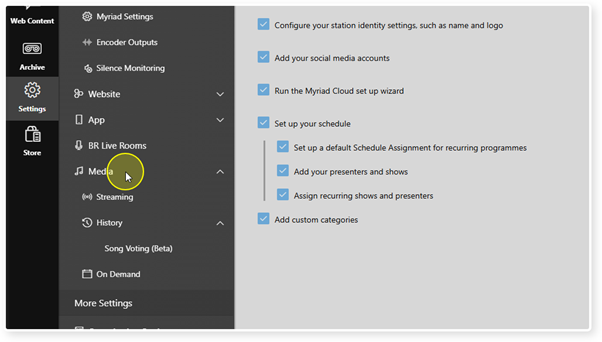
4. Expand the History option.
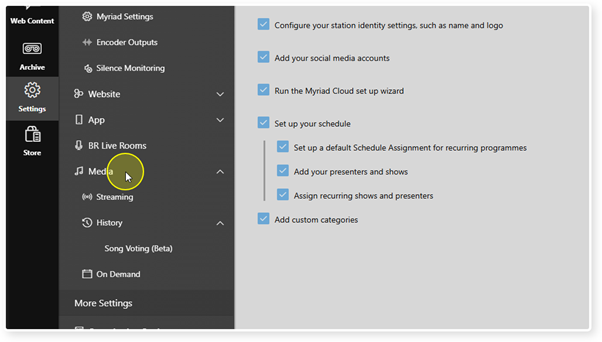
5. Click on Song Voting.
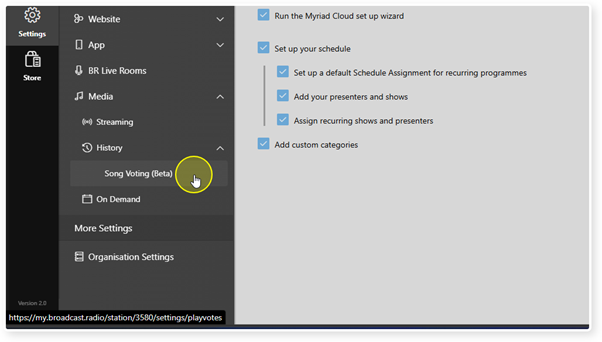
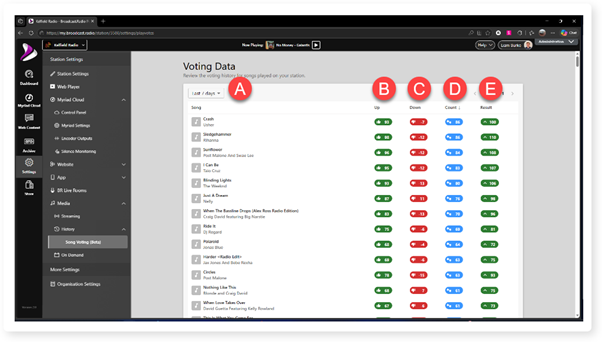
6. The Song Voting History will be displayed.
A. Select the time frame from the drop down list.
B. Total number of positive votes.
C. Total number of negative votes.
D. Overall score (positive minus negative).
E. Total number of votes for the Song.
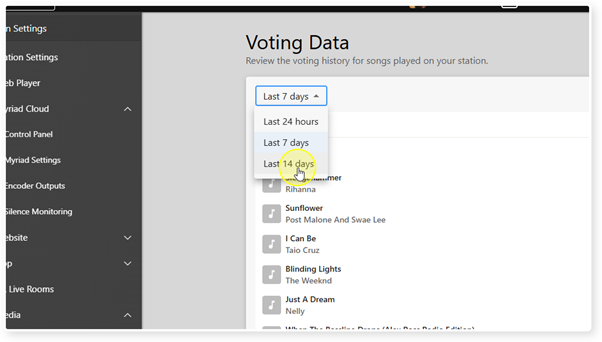
7. You can use the drop down option to change the displayed time period.
Was this article helpful?
That’s Great!
Thank you for your feedback
Sorry! We couldn't be helpful
Thank you for your feedback
Feedback sent
We appreciate your effort and will try to fix the article