The Broadcast Radio Web Player keeps a history of the meta data for all content played. You can access this information via the History page.
1. Login to your Broadcast.Radio portal.
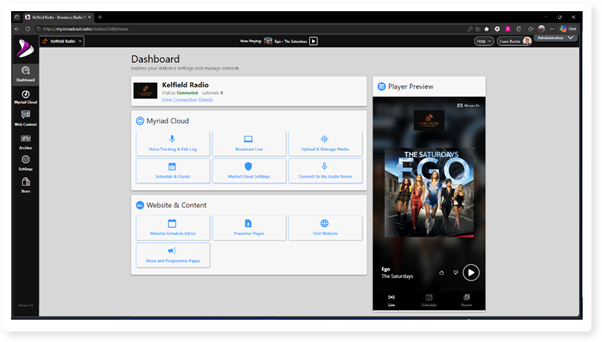
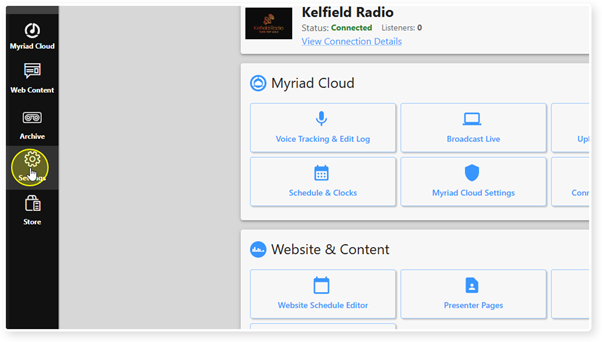
2. Click on the Settings menu option.
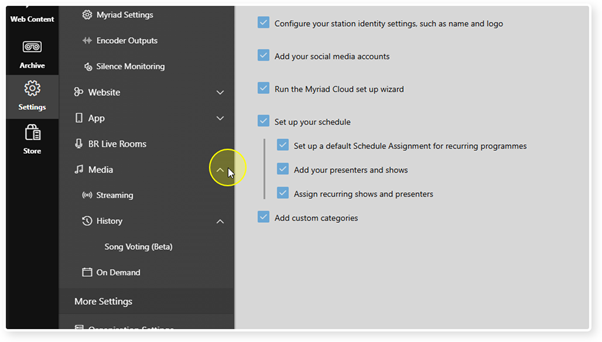
3. Expand the Media option.
4. Click on the History option.
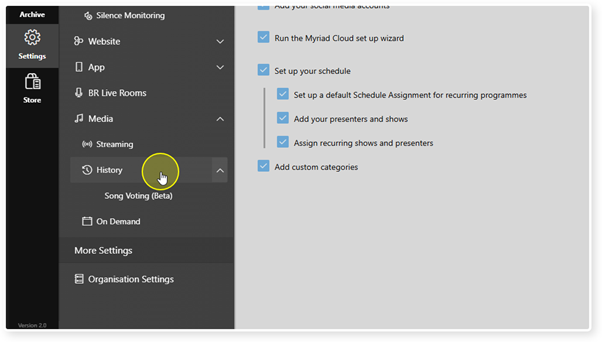
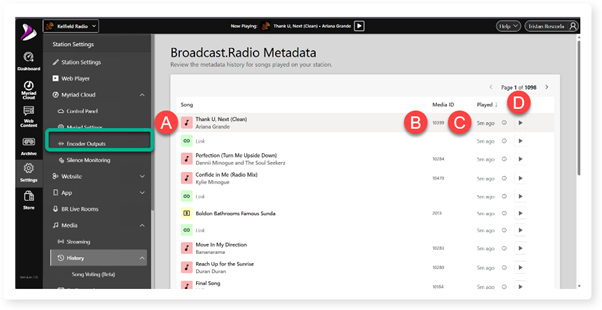
5. The History page shows a list of all media played via the Web Player.
A. Media item Artist and Title.
B. Myriad Media ID.
C. Date / Time played.
D. Link to review audio on BR Archive (Streaming customers only) if available.
Was this article helpful?
That’s Great!
Thank you for your feedback
Sorry! We couldn't be helpful
Thank you for your feedback
Feedback sent
We appreciate your effort and will try to fix the article