What is Normalisation?
Audio normalisation adjusts the volume of audio to a consistent level, helping to prevent noticeable differences in loudness between songs, speech and other audio during playback.
When an audio file is imported as a Media Item Type with a target normalisation value, the media is scanned and Myriad determines the volume scaling factor that needs to apply to the specific Media Item to meet the target. This volume scaling factor is then applied whenever the Media Item is played (manually or as part of Log playout).
Myriad does not alter the audio level in the imported file, just the volume scaling when played in a Media Player, meaning that you can override this volume scaling factor on an individual Media Item and it will apply the new level of volume scaling next time it is played.
Is it the same as Processing?
No, they are very different things.
The main difference is that audio normalisation adjusts the overall volume of audio to achieve a consistent loudness, whereas audio processing actively changes the sound using techniques such as compression, equalisation and limiting to improve clarity, balance and overall listening quality.
In simple terms:
Normalisation makes different songs and audio items play at a similar perceived volume.
Audio processing controls and shapes how the audio sounds, including managing changes in volume within songs or speech.
Normalisation is typically applied to individual audio files, while audio processing is often applied to the station's final output, although both can be used at different stages.
Myriad applies normalisation at point of playback based on a scaling factor calculated to meet target level for the Media Item Type.
Myriad does not apply any audio processing; this should be done downstream in your transmission chain by dedicated software or hardware.
Normalisation Modes in Myriad
Myriad 7 includes three normalisation modes that can be applied to your Media Items.
Peak Normalisation: Adjusts the audio so its loudest point reaches a set level, making it suitable for music and other audio with varying volume.
RMS Normalisation: Adjusts the audio based on its average volume, making it suitable for speech and music where consistent volume is important.
LUFS Normalisation: Adjusts the audio based on how loud it sounds to the listener, making it ideal for radio broadcasts containing a mixture of speech, music and other audio.
All three requires a Target level (in decibels dB) that will be used to determine how much volume adjustment is needed for each individual Media Item.
In the case of LUFS you also have to set:
Limit by True Peak: Prevents the audio from exceeding a maximum volume level, helping to avoid distortion during playback or broadcasting.
Maximum True Peak: Sets the highest permitted peak level when True Peak limiting is enabled. A setting of -1.0 dBTP is a good general-purpose choice to help prevent distortion.
Applying Normalisation to Media Item Types
You can set normalisation mode and target settings for each Media Item Type (Song, Link, VT etc):
- Click on Settings Menu > Database Settings > Media Items Tab.
- Click on the Edit button for the Item Type in the Item Type Defaults.
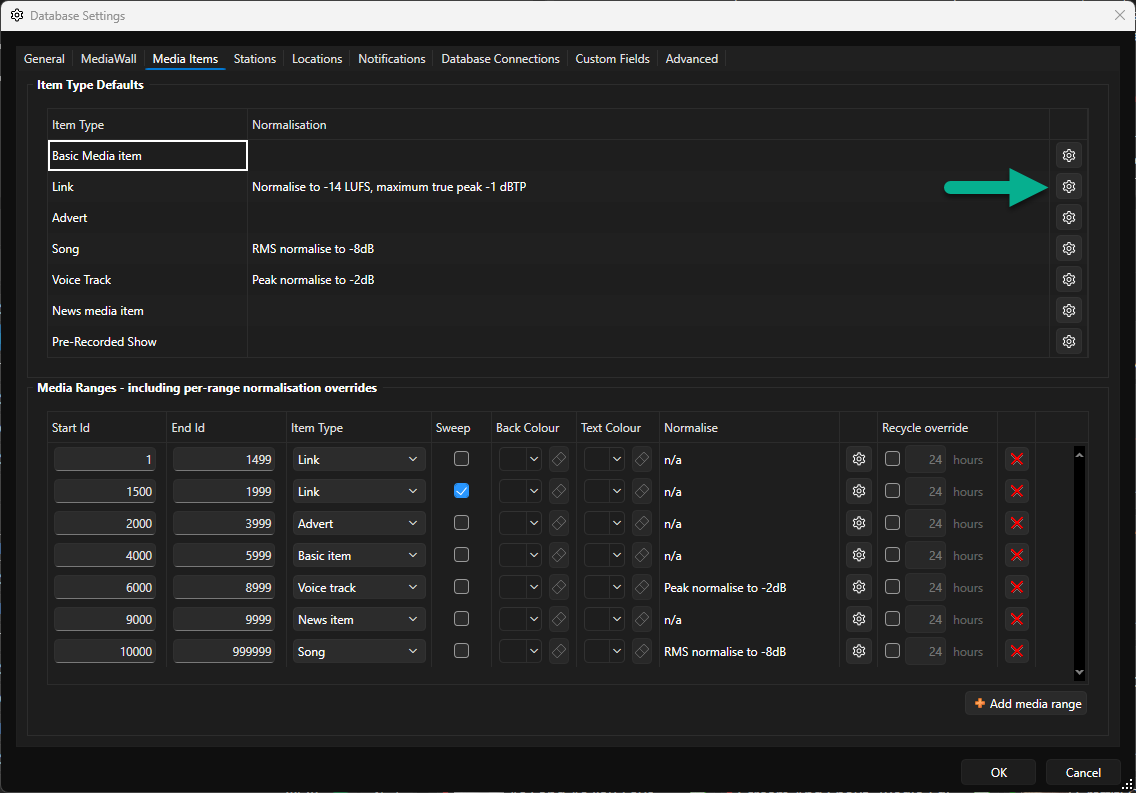
- Set the Mode and Target values. If using LUFS, you also need to set the Limit by true peak option and Maximum true peak value (see above).
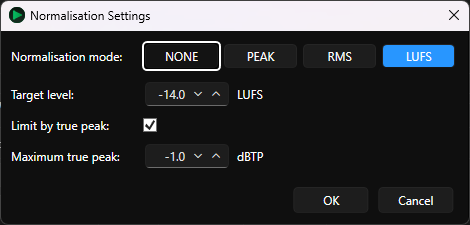
- Click on OK.
All audio files Imported as the specified Media Item Type will have a Playback Volume Gain applied that will meet the normalisation target, whenever the item is played in Myriad.
The original audio file remains unaltered.
For more detail see - Setting Normalisation Levels Per Media Item Type (Song, Link, VT etc)
Applying Normalisation to Media Ranges
You can also set normalisation mode and target settings for specific Media Ranges.
- Click on Settings Menu > Database Settings > Media Items Tab.
- Click on the Edit button for a Media Range in the Media Range section.
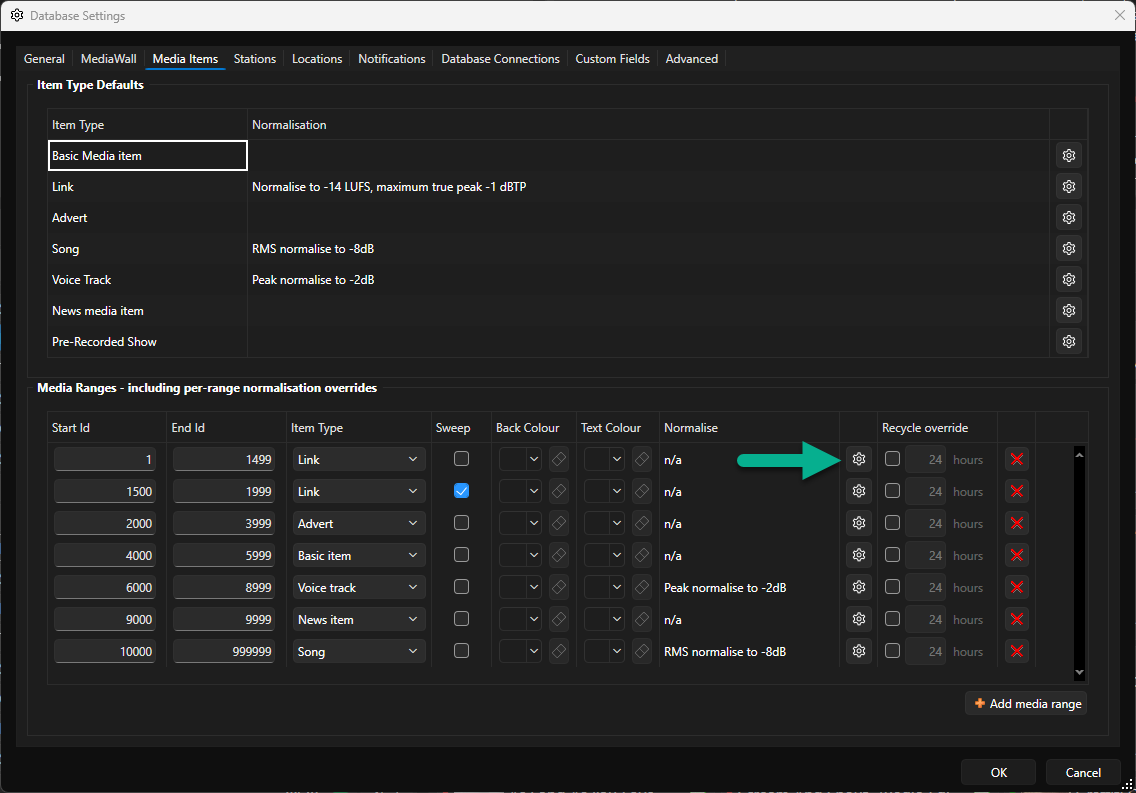
- Set the Mode and Target values. If using LUFS, you also need to set the Limit by true peak option and Maximum true peak value (see above).
- Click on OK.
All audio files Imported as the specified Media Range will have a Playback Volume Gain applied that will meet the normalisation target, whenever the item is played in Myriad.
The original audio file remains unaltered.
Was this article helpful?
That’s Great!
Thank you for your feedback
Sorry! We couldn't be helpful
Thank you for your feedback
Feedback sent
We appreciate your effort and will try to fix the article