The default Broadcast.Radio security Roles are as follows:
- Guests - Guests can log into broadcast.radio, and can view (but not edit) the programme schedule.
- Contributors - Contributors can create new shows, episodes, blog posts, and site pages - but can't publish them - an editor (or above) must finally publish.
- Authors - Authors can create and publish shows, episodes, blog posts, and site pages. Authors can edit their own shows, but can't edit content that was published by another user.
- Editors - Editors can edit any content, and add/edit/delete attributes like categories, but can't change the schedule or update any settings.
- Administrator -Administrators can edit the schedule, and update any settings. Administrators can create/edit/delete users, except for other administrators.
- Super Administrator - Super administrators are able to create new administrators and super administrators.
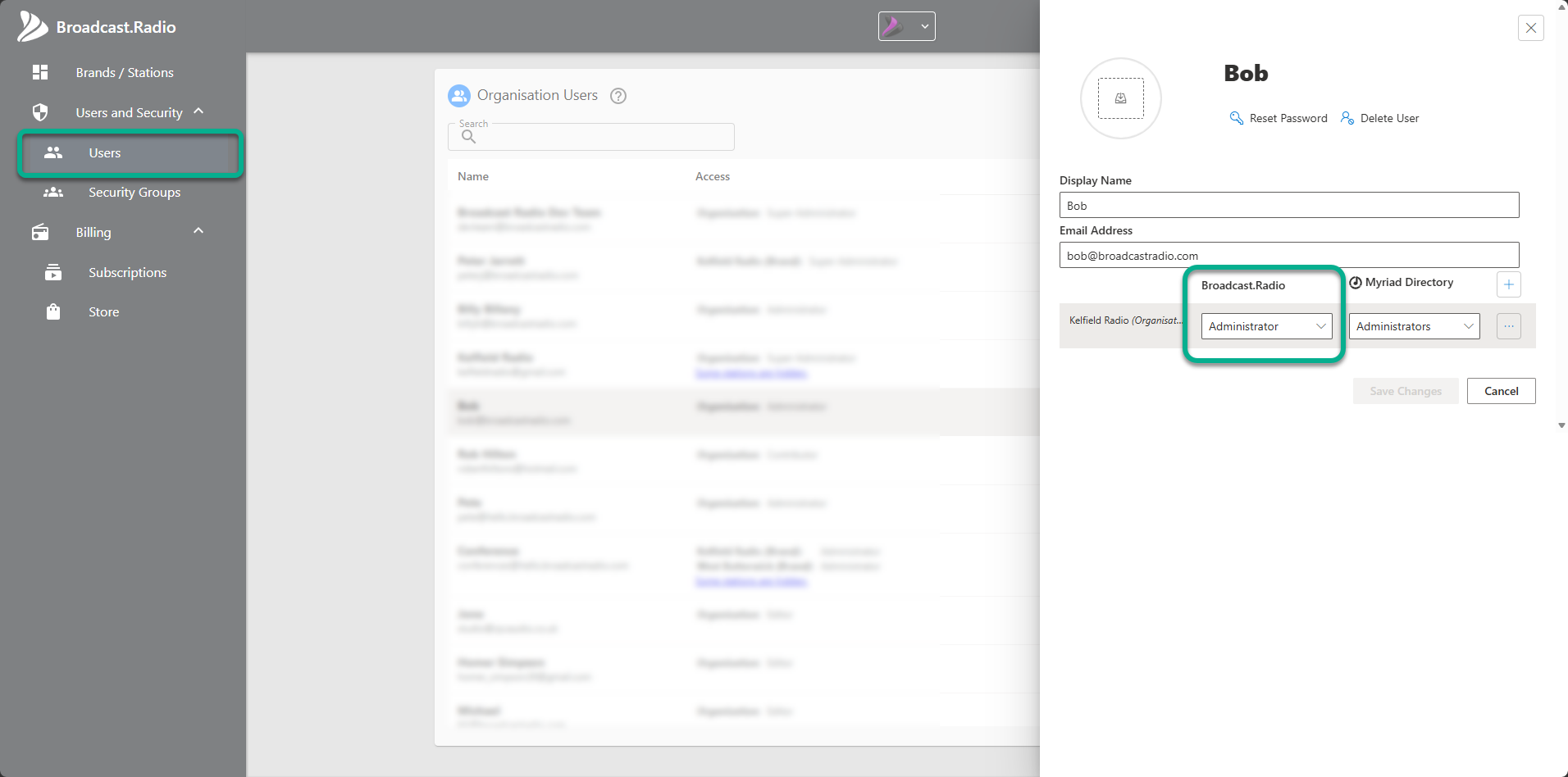
To change these settings for a User:
- Login to Broadcast.Radio.
- Click on Settings > Organisation Settings.
- Select Users.
- Click on the Edit icon to the right of a User.
- Use the Broadcast.Radio drop down to select a Role.
These permissions only relate to Broadcast.Radio functions, you can learn more about security permissions within the Myriad Directory here - Default Security Groups In Myriad Playout
Was this article helpful?
That’s Great!
Thank you for your feedback
Sorry! We couldn't be helpful
Thank you for your feedback
Feedback sent
We appreciate your effort and will try to fix the article