The Organisation Settings option provides access to a range of tools to help you organise your Stations, Users, Security and Subscriptions.
1. Login to your Broadcast.Radio account.
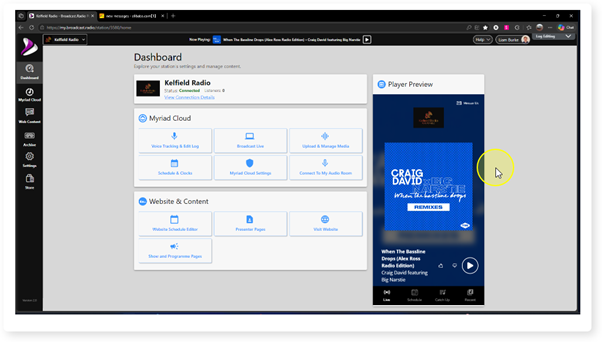
2. Click on the Settings menu option.
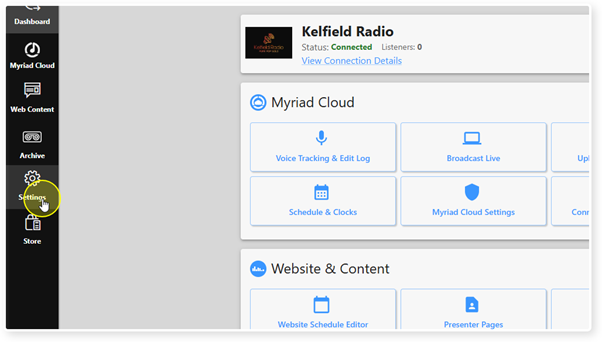
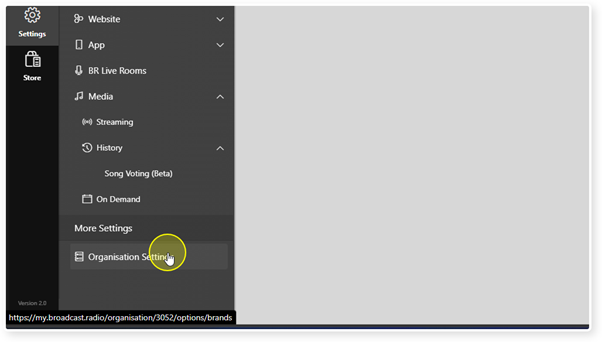
3. In the More Settings section, click on Organisation Settings.
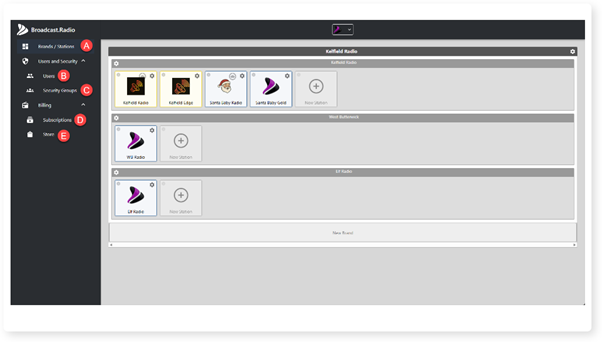
4. The Organsation Settings window is split it to multiple sections.
A. Brands / Stations - This section allows you to switch between Stations and add new Stations within a Brand or create completely new Brands.
B. Users - Manager User access to the Broadcast.Radio portal.
C. Security Groups - Manage the security groups that Users can belong to.
D. Manage your existing Subscriptions.
E. Store - Browse new products and services in our Store.
Was this article helpful?
That’s Great!
Thank you for your feedback
Sorry! We couldn't be helpful
Thank you for your feedback
Feedback sent
We appreciate your effort and will try to fix the article