You can change the details and security permissions for existing Users within the Users section.
1. Login to your Broadcast.Radio portal.
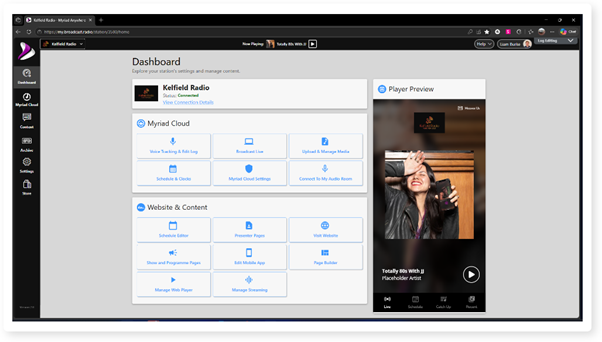
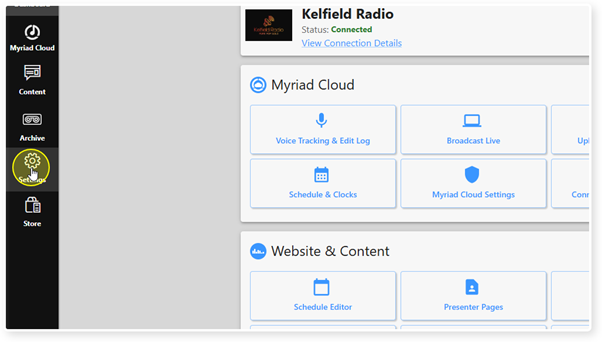
2. Click on Settings.
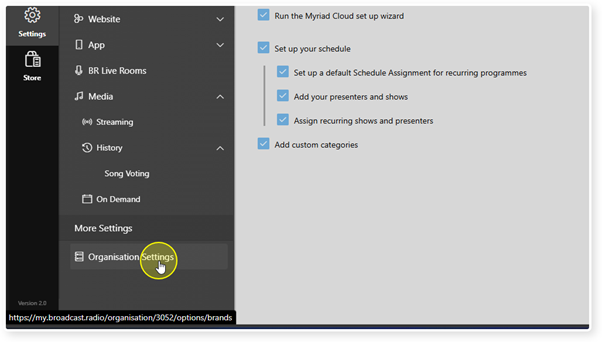
3. Select Organisation Settings.
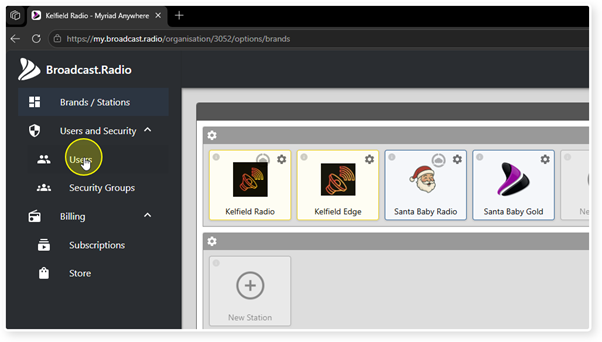
4. Click on the Users menu option in Users and Security.
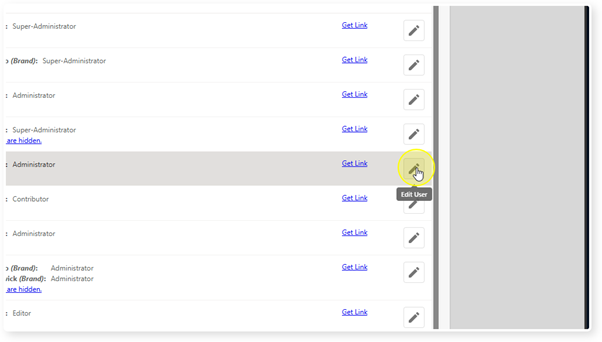
5. Click the Edit User button to the right of the User you wish to edit.
6. The User details will be displayed to the right.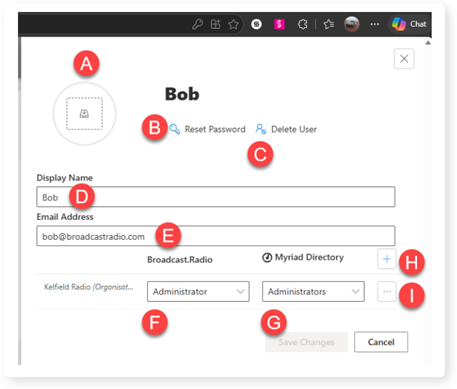
A. Upload a User profile picture for the User.
B. Reset the User's password.
C. Delete the User.
D. Change the Users name.
E. Change the Users email.
F. Change the Broadcast.Radio portal security group. See - Organisation Settings - Broadcast.Radio Security Roles
G. Change the Myriad Anywhere / Myriad Cloud security group (only for Myriad Anywhere and Myriad Cloud customers). See - Default Security Groups In Myriad Playout
H. Select the Stations the User can access.
I. Remove role and delete the Users.
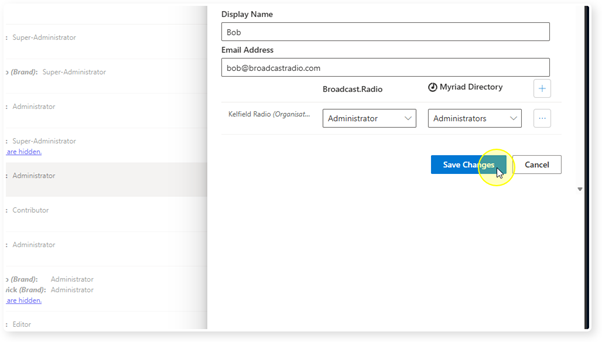
7. When you have finished editing the User Details, click on the Save Changes button.
Was this article helpful?
That’s Great!
Thank you for your feedback
Sorry! We couldn't be helpful
Thank you for your feedback
Feedback sent
We appreciate your effort and will try to fix the article