You can set the Timezone for the location of your station.
This is particularly important for Myriad Cloud customers as it will also set the timezone for playout from your Scheduled Log, so it is important to ensure the timezone is set correctly.
1. Login to your Broadcast.Radio portal.
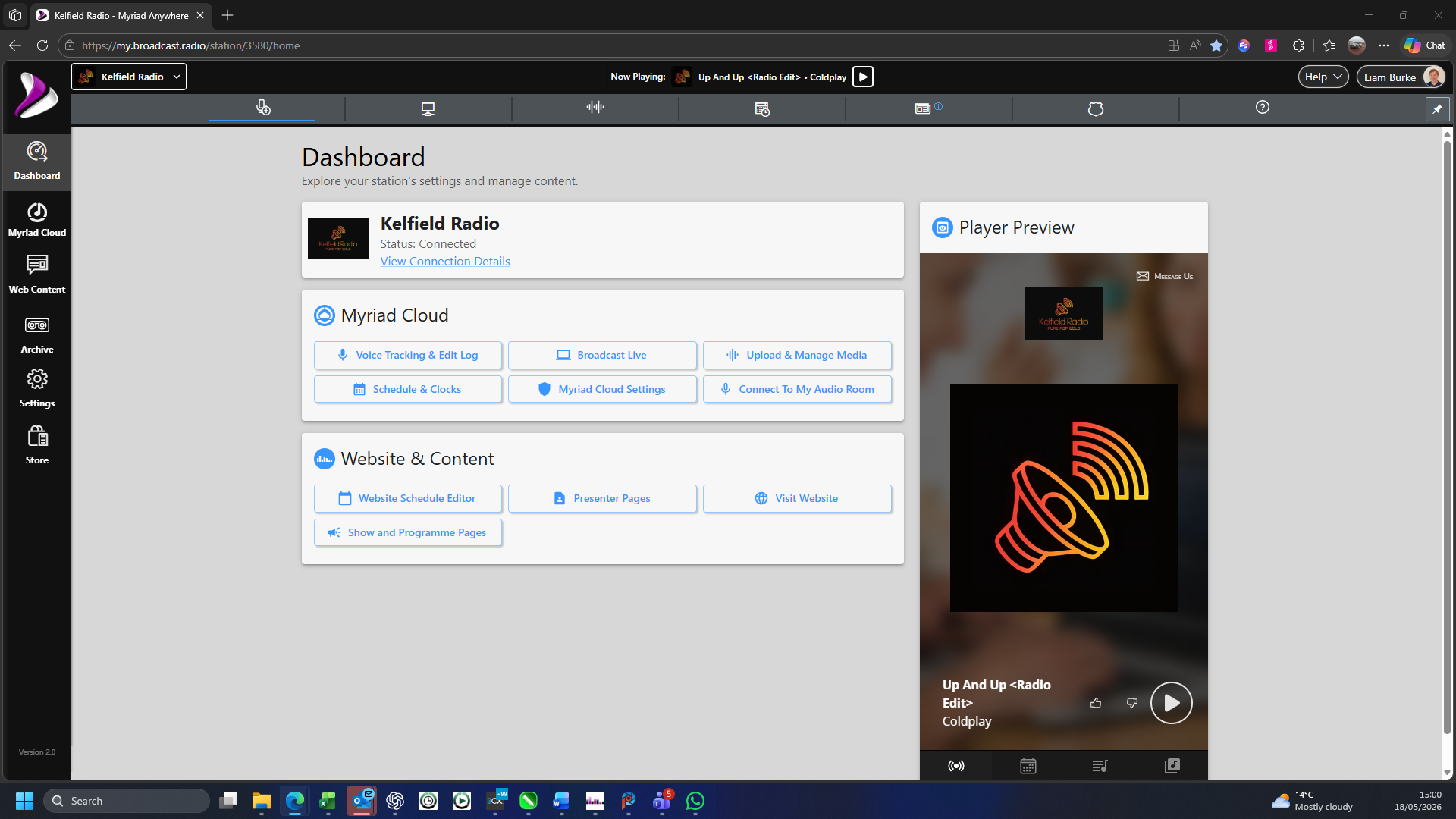
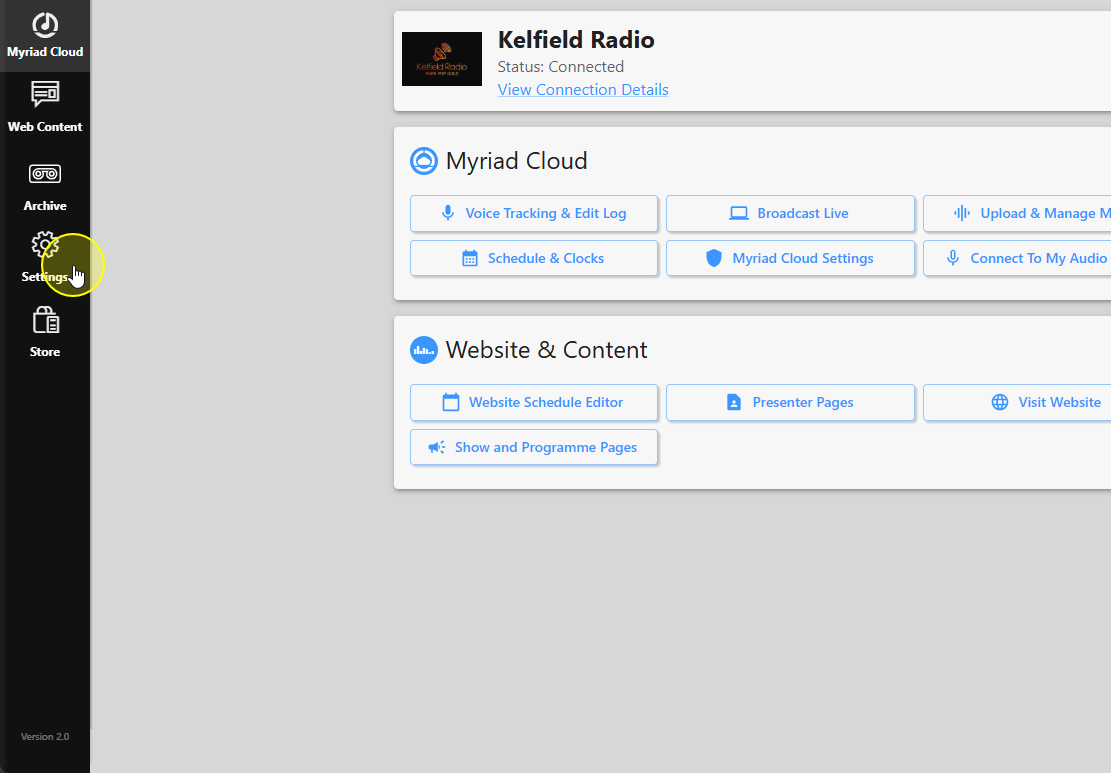
2. Click on the Settings option.
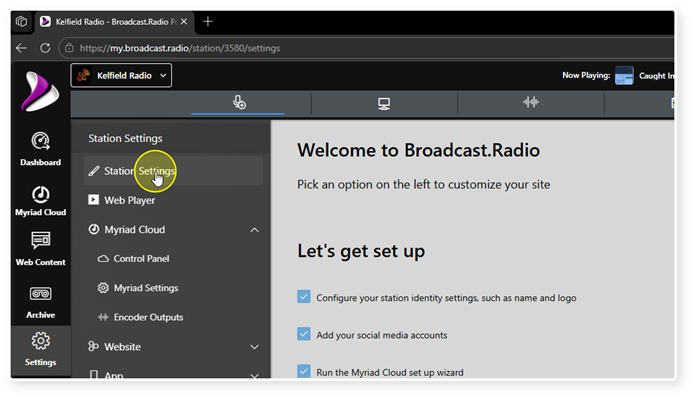
3. Select Station Settings.
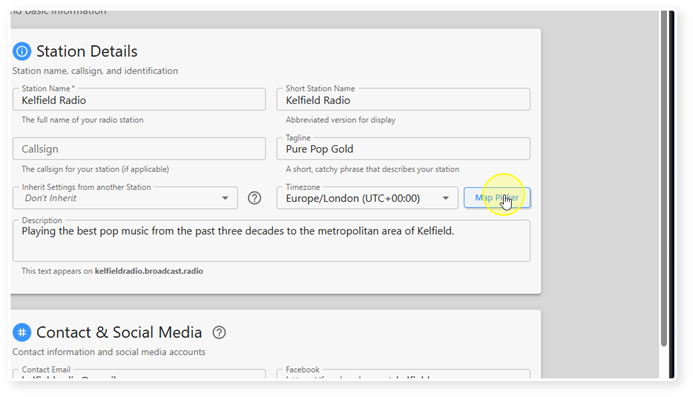
4. You will find the Timezone settings in the Station Details section.
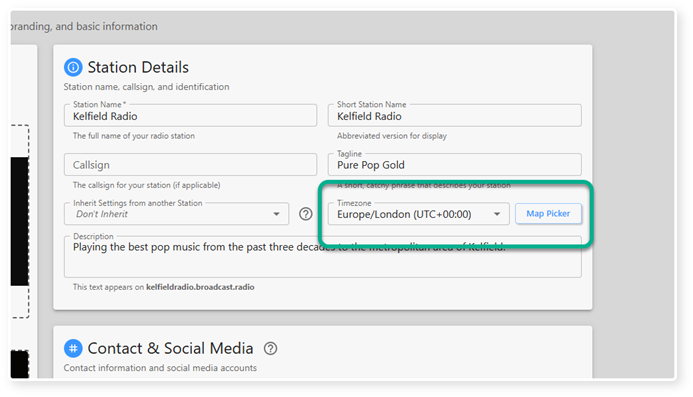
5. To select a Timezone, click on the Map Picker button.
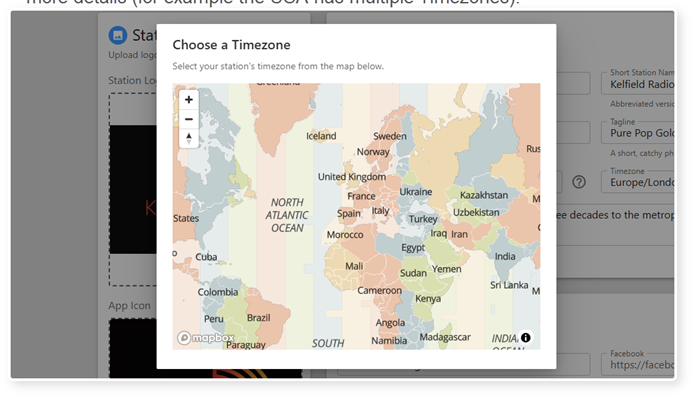
6. Click on you home Timezone. You can click on the + button to zoom in to see more details (for example the USA has multiple Timezones).
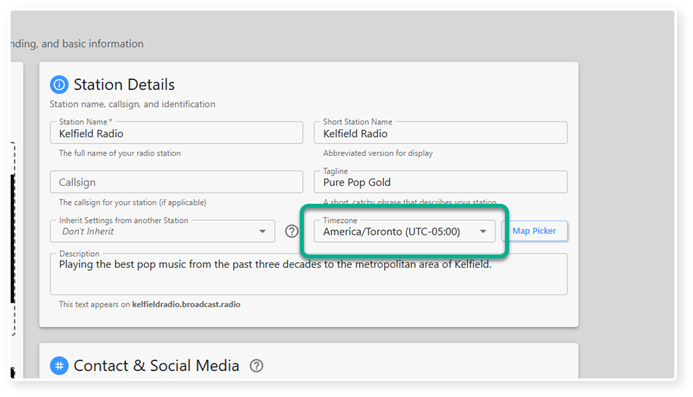
7. Alternatively, you can use the drop down to select a Timezone from a list.
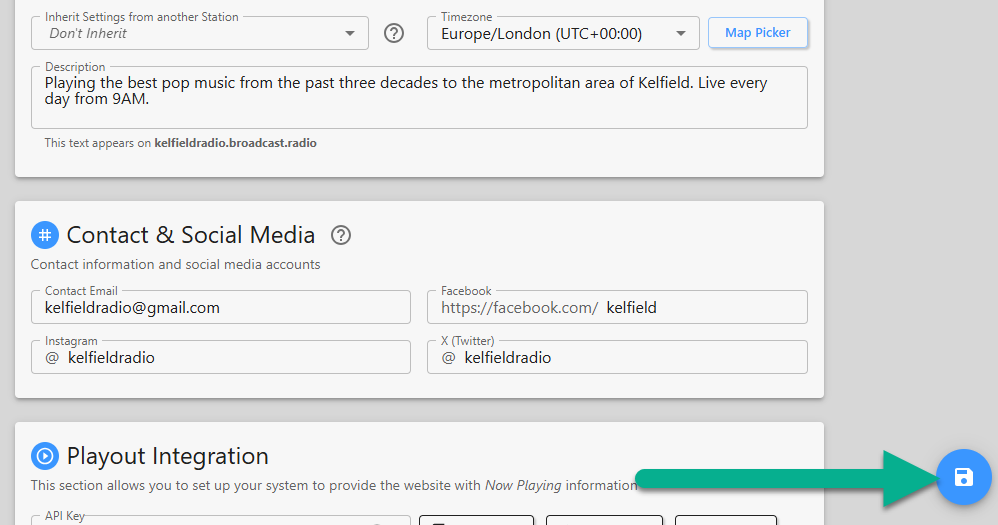
8. Once the correct Timezone is set, click on the Save button.
Was this article helpful?
That’s Great!
Thank you for your feedback
Sorry! We couldn't be helpful
Thank you for your feedback
Feedback sent
We appreciate your effort and will try to fix the article