All Broadcast Radio Streaming subscriptions include a Total Listener Hour report which can be used (in conjunction with average songs played per hour) for copyright reporting to UK PRS and PPL.
But what is a Listener Hour?
If one person listens for one hour, that would be one listener hour. If five people listen to the same hour, that would be five listener hours just from that one hour of broadcast.
Listener hours is also a useful indication of station popularity.
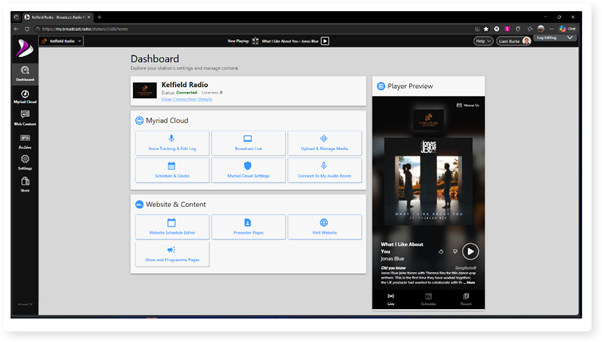
1. Login to your Broadcast.Radio portal.
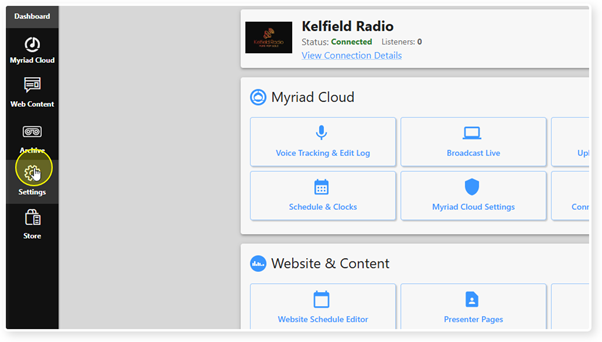
2. Click on the Settings menu option.
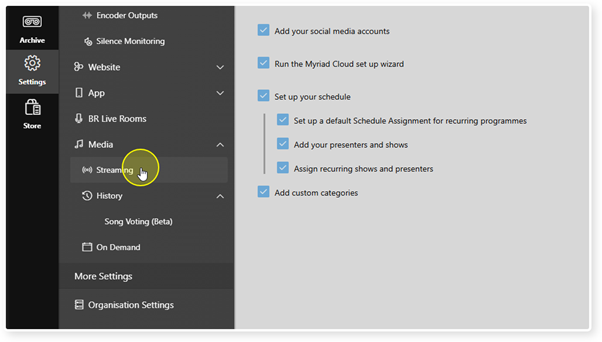
3. Select Streaming from the list of options.
4. Scroll down to the Total Listener Hours section.
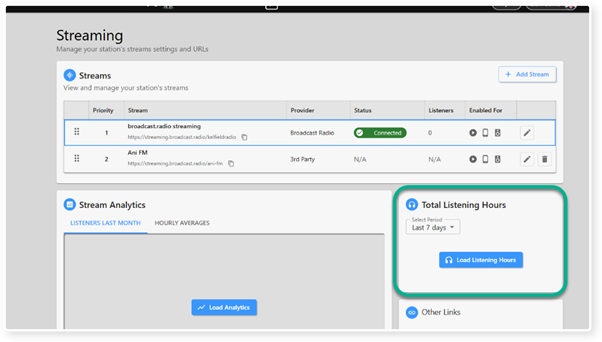
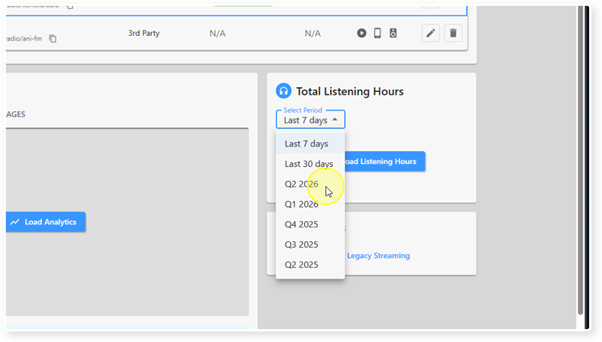
5. Use the drop down list to select the Time Period you want to calculate Total Listener Hours for.
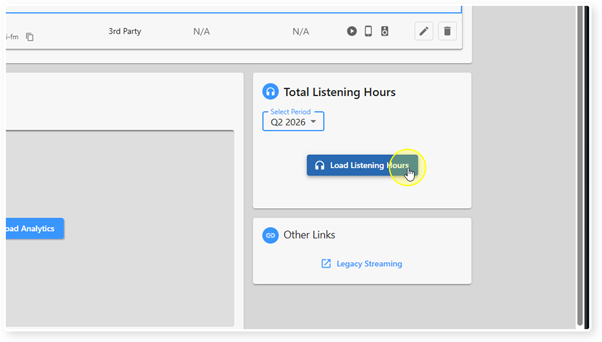
6. Click on the Load Listening Hours button to calculate the total.
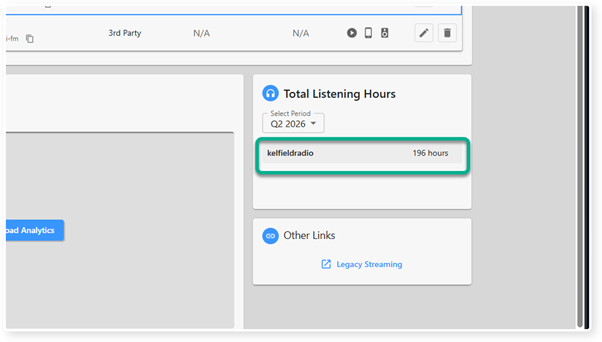
7. The Total Listener Hours for the selected period will be displayed after a few seconds.
Was this article helpful?
That’s Great!
Thank you for your feedback
Sorry! We couldn't be helpful
Thank you for your feedback
Feedback sent
We appreciate your effort and will try to fix the article