You can add new Stations within a Brand, then assign Subscriptions to the Station to access services and features.
1. Login to your Broadcast.Radio portal.
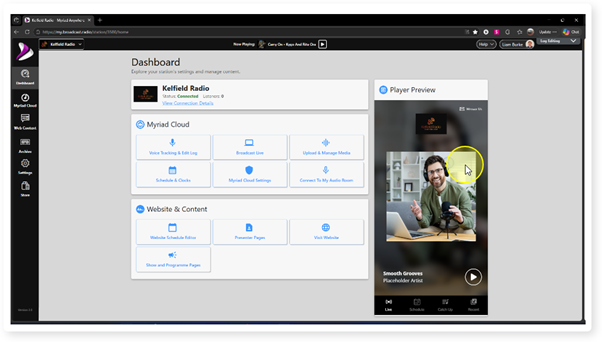
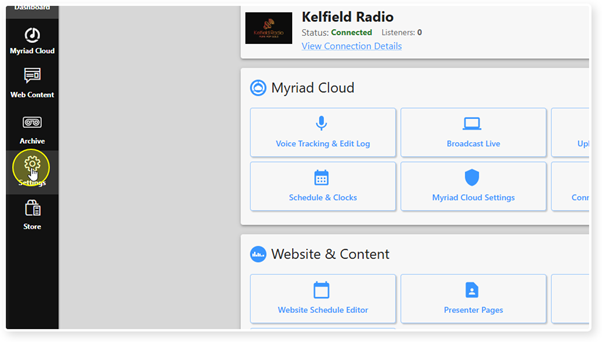
2. Select the Settings menu.
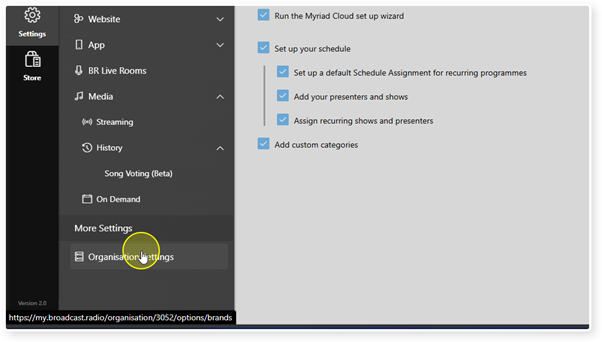
3. Click Organisation Settings in the More Settings section.
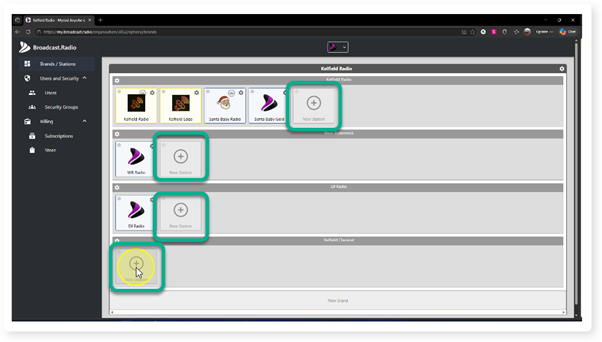
4. You will see a New Station button within each Brand. Click on the New Station button to add a Station to a Brand.
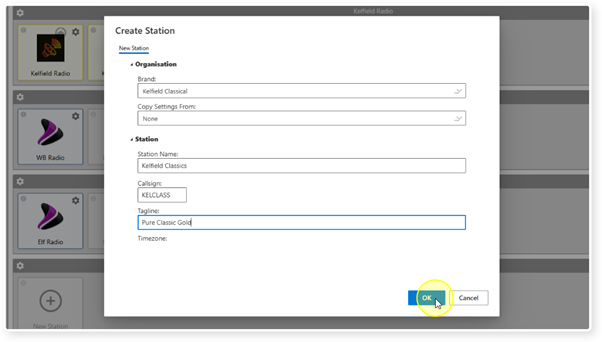
5. Fill in the details for your new Station.
- Brand - Select the Brand the Station resides in.
- Copy Settings From - Allows you to select another Station within the Brand to copy settings from. Please note these are Broadcast.Radio settings, not Myriad Cloud settings.
- Station Name - Add the name of the Station.
- Callsign - Optionally add a call sign for the Station.
- Tagline - Optionally add a tag line for the Station.
When you have finished adding the details, click on OK.
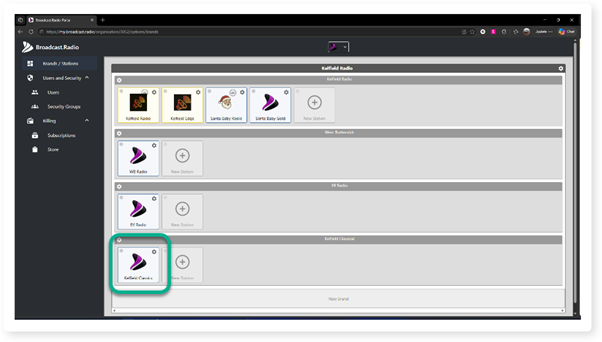
6. The Station will now be listed within the Brand.
Also see - Organisations, Brands & Stations In Broadcast.Radio and Myriad Cloud
Was this article helpful?
That’s Great!
Thank you for your feedback
Sorry! We couldn't be helpful
Thank you for your feedback
Feedback sent
We appreciate your effort and will try to fix the article