You can setup Media ID's to be automatically 'played' at specific timing events in other Media Items.
Let's take the example of a Traffic Report bed that we want to use to turn on a 'traffic hardware flag' to signal traffic reports on RDS enabled FM radios.
As Media ID's can be either audio or Commands, we can create a Command Media ID that switched the appropriate external hardware, then attached that Media ID as a Trigger Item on one of the timing events (Intro, Intro Mid, Intro End, Hook Start, Hook End or Extro) on the Media ID that is the traffic report bed.
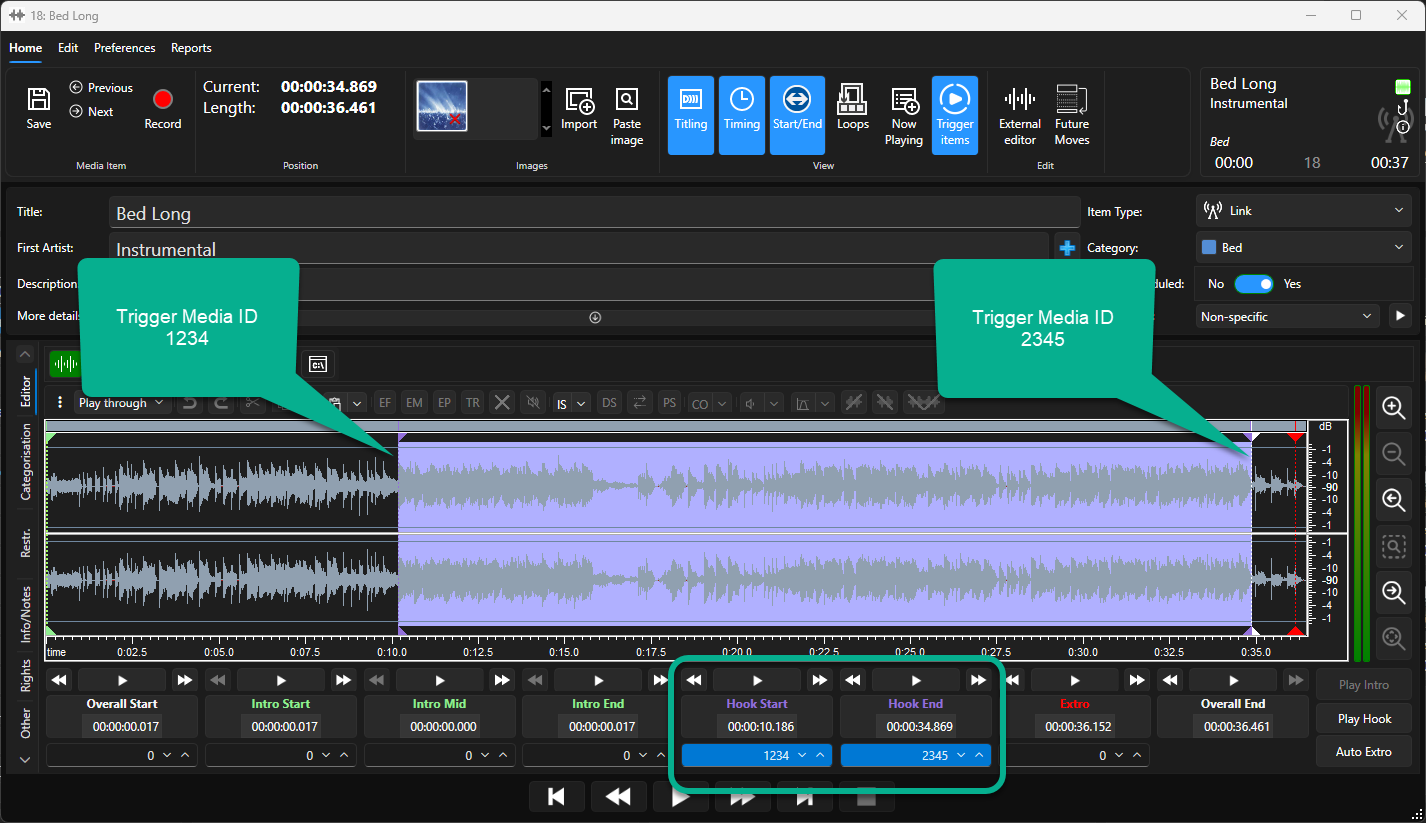
Consider the image below. The Traffic Bed has a Hook start and End defined. Media ID 1234 (Command to turn on RDS travel flag hardware) is automatically 'triggered' at the Hook Start point. Media ID 2345 (Command to turn off the RDS travel flag hardware) is automatically 'triggered' at the Hook End point.
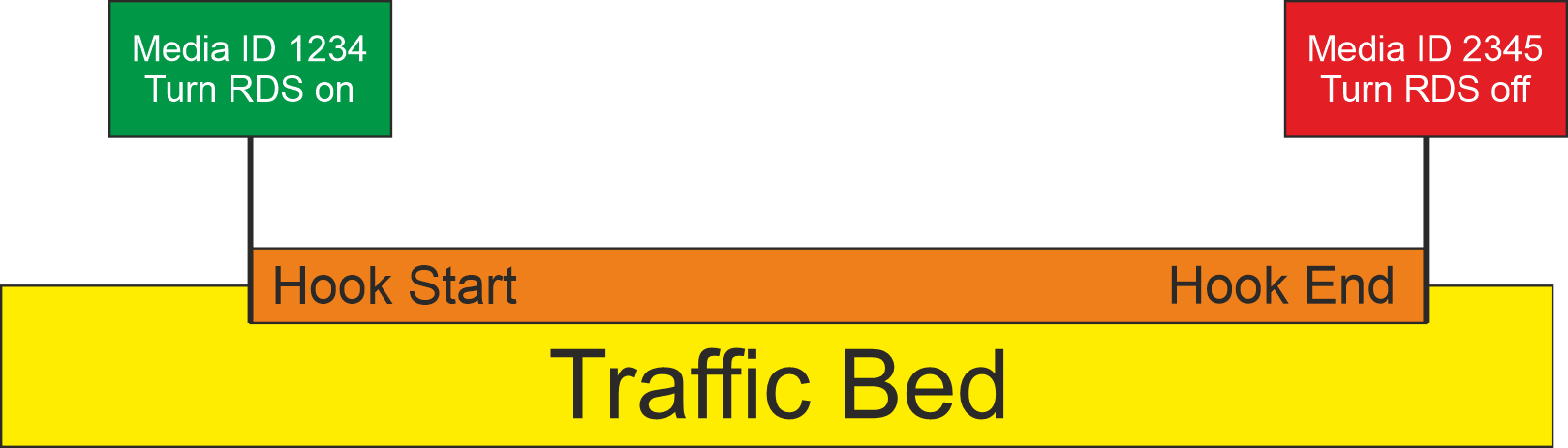
This mechanism has many practical applications as every Media Item has multiple Timing Events which could trigger other audio or command Media IDs.
To setup a Media Trigger Items, follow these steps.
- Open the Edit Window for the Media Item you want to add Trigger Items to. Select the item and click on the Edit button on the ribbon or right click menu to open the Edit window.
- In this example, we have a audio bed which already has a Hook Start and Hook End defined (see Setting Hooks)
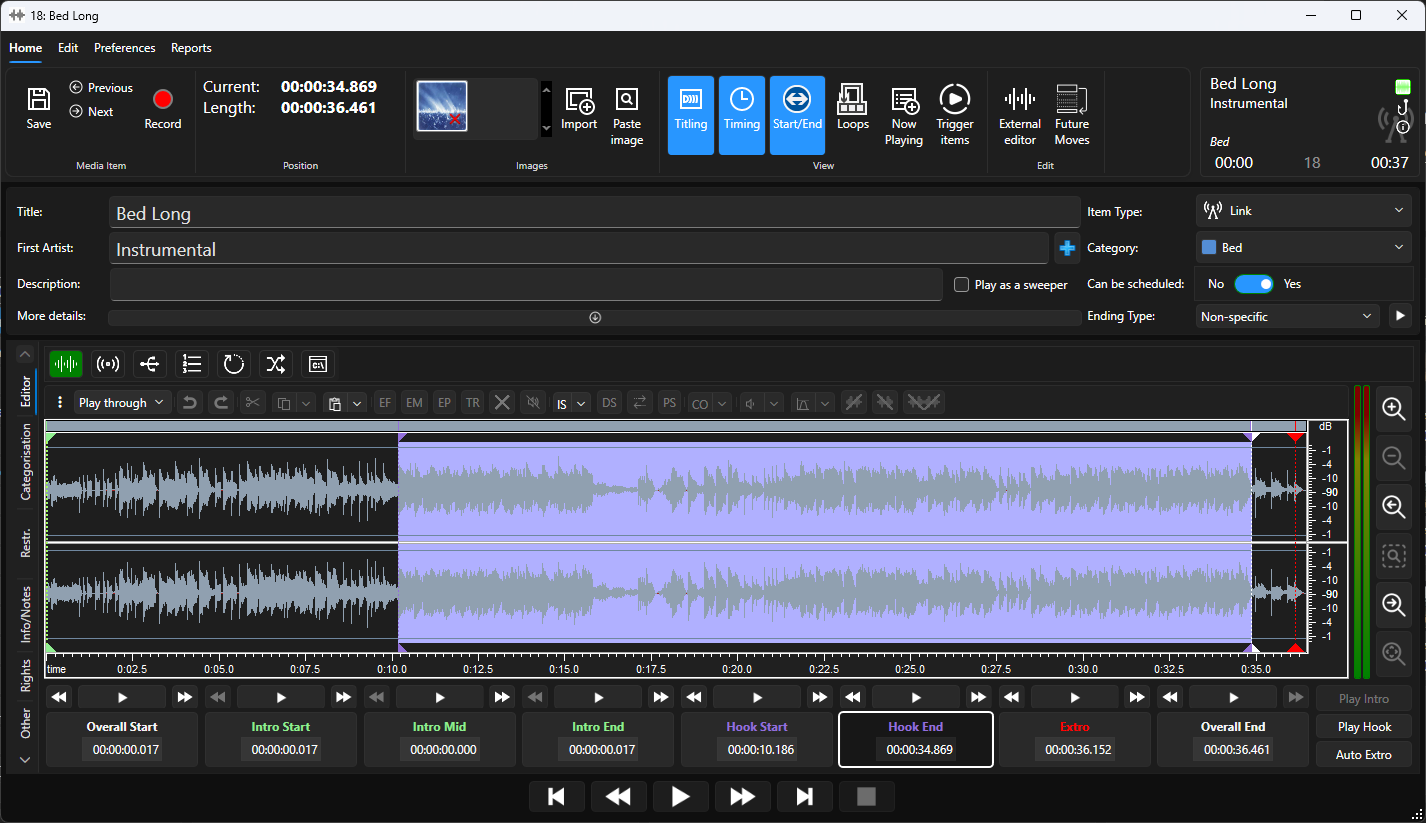
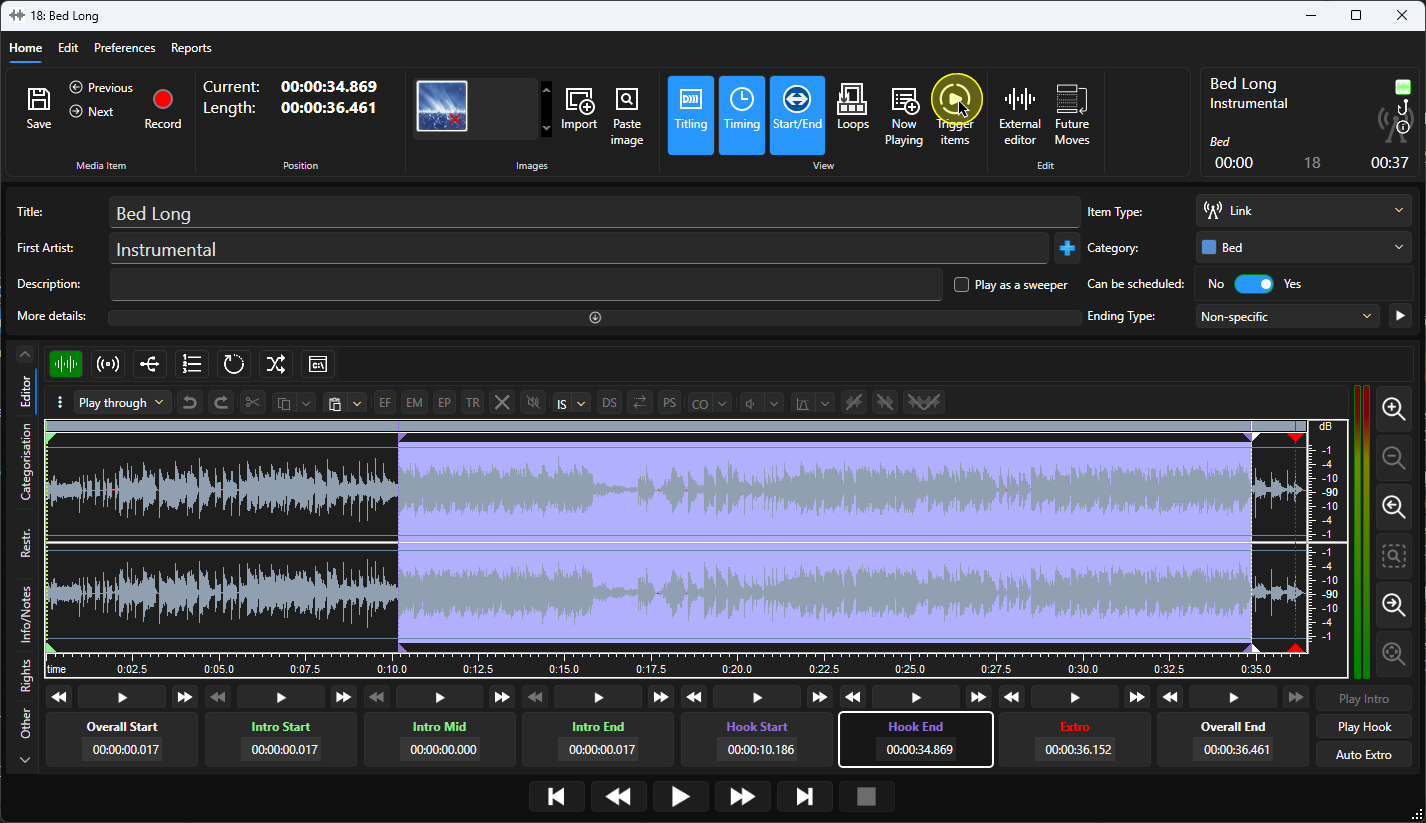
- Click on the Trigger Items button on the Home ribbon.
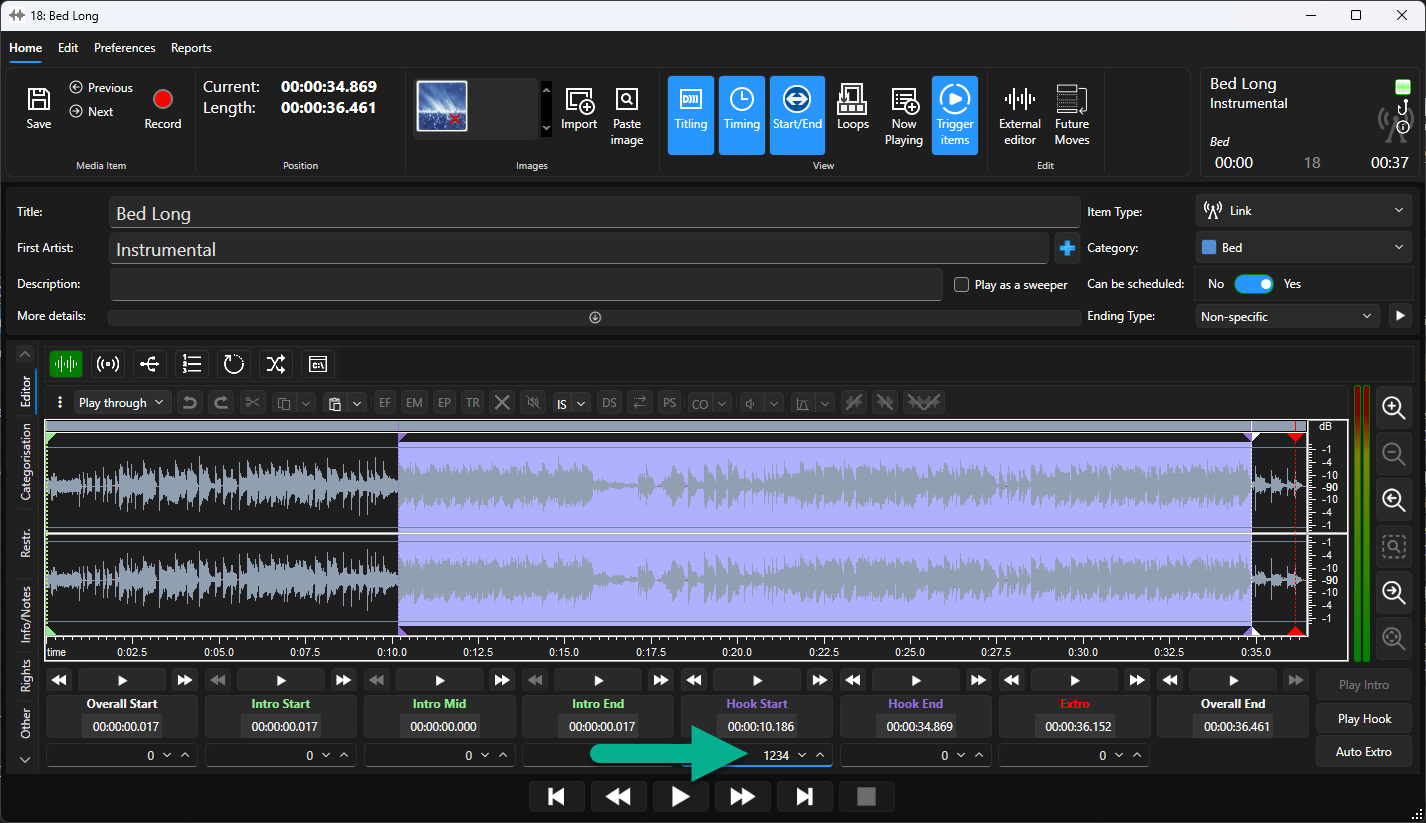
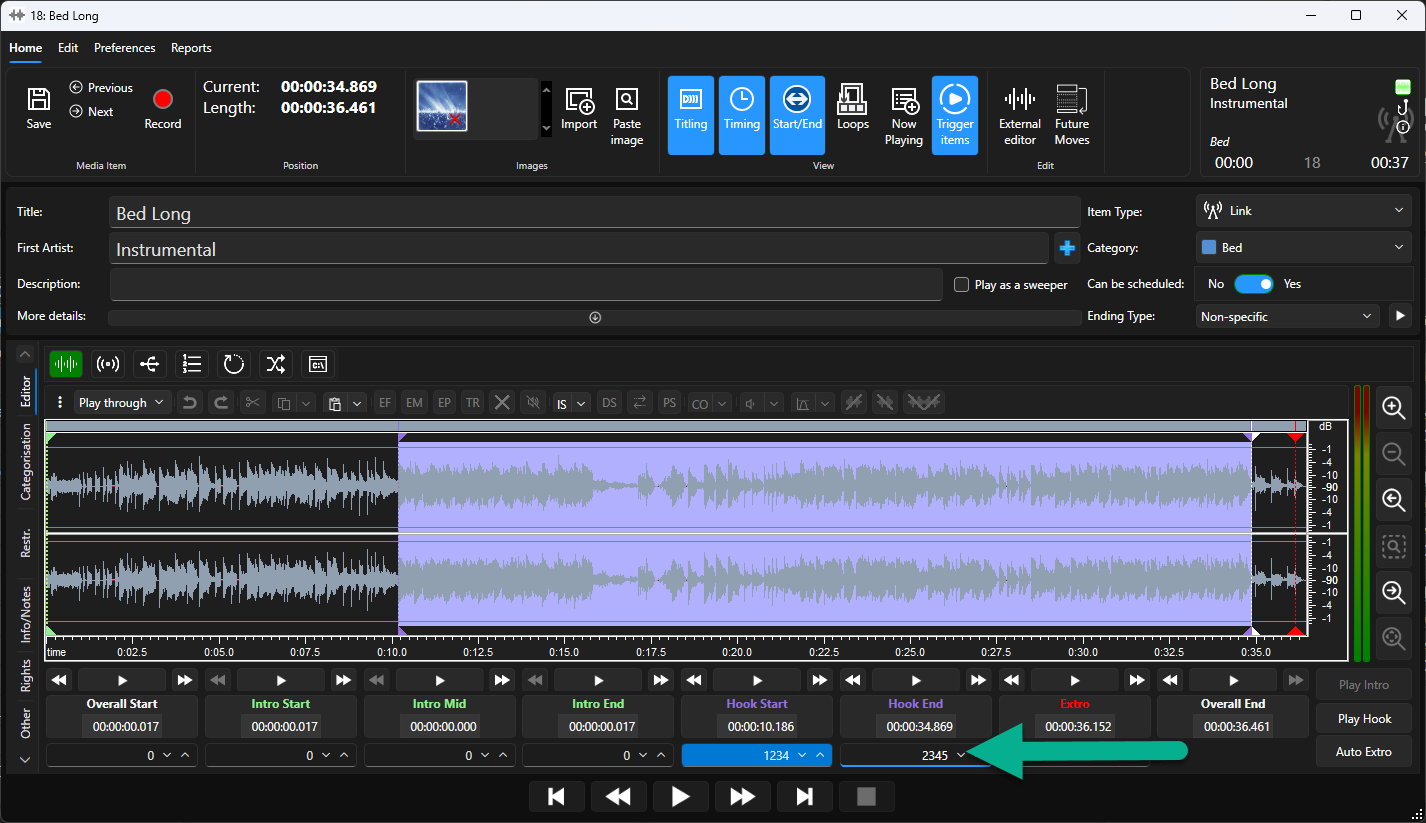
- This adds a new row below each of the Timing Markers. This can be used to type in the Media ID that will be triggered when that Timing event occurs.
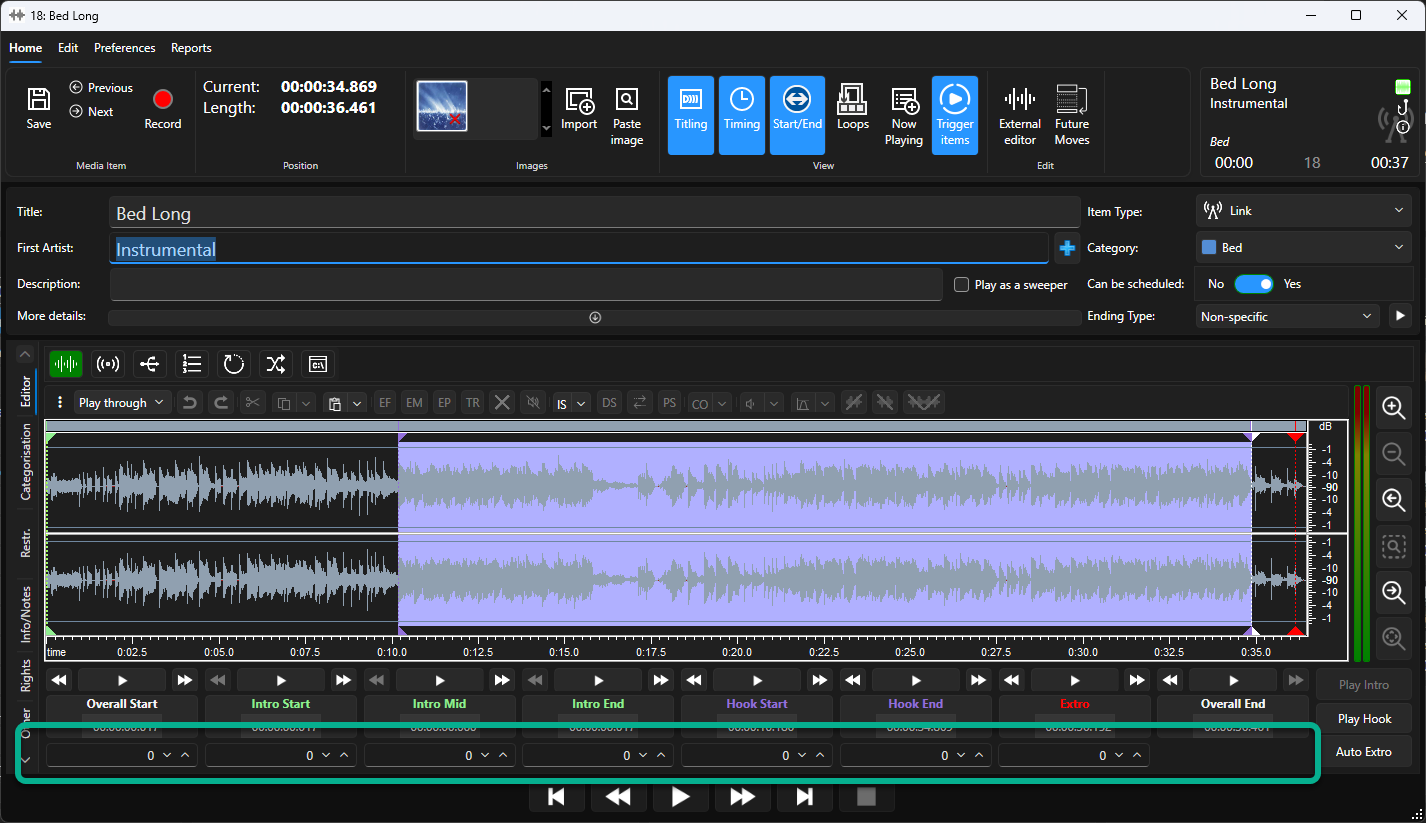
- In our example, we wanted to trigger Media ID 1234 at the Hook Start point.
- We also wanted to trigger Media ID 2345 at the Hook End point.
- Now whenever the Long Bed item is played, Media ID 1234 will automatically be triggered at the Hook Start point (10.186 seconds) and Media ID 2345 will be triggered at the Hook End point (34.869 seconds).
- Click on the Save button and close the Edit Window.
Was this article helpful?
That’s Great!
Thank you for your feedback
Sorry! We couldn't be helpful
Thank you for your feedback
Feedback sent
We appreciate your effort and will try to fix the article