When Media Items are deleted from the Media Wall (individually or mass deleted), by default, they are moved to a 'Recycle Bin Folder' making them accessible for a period of time (30 days by default), should you wish to reinstate them.
To browse and restore deleted Media Items, follow these steps:
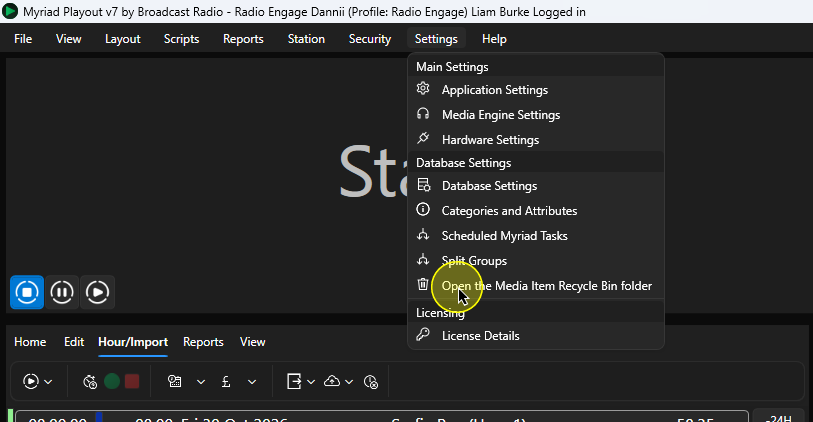
- In Myriad Playout, click on Settings Menu > Open the Media Item Recycle Bin Folder option.
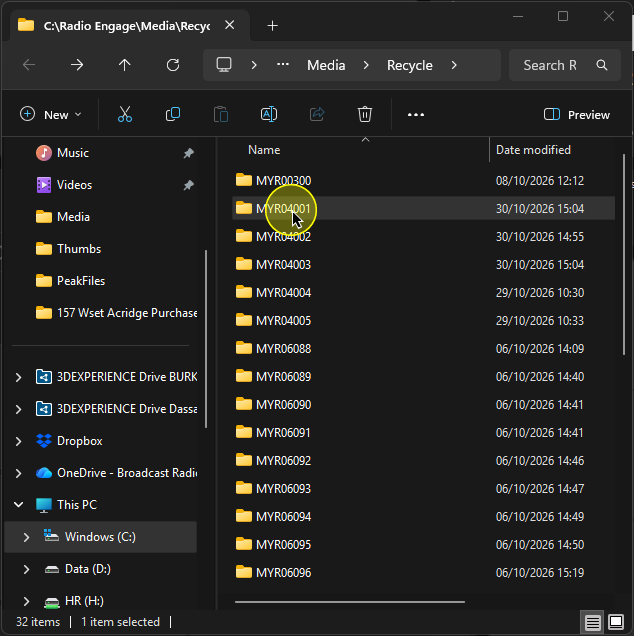
- The window File Browser window will open in the Media Item Recycle folder. Each Media Item (that has a deleted version) will have a folder. Open the folder to see the deleted items available for that Media ID.
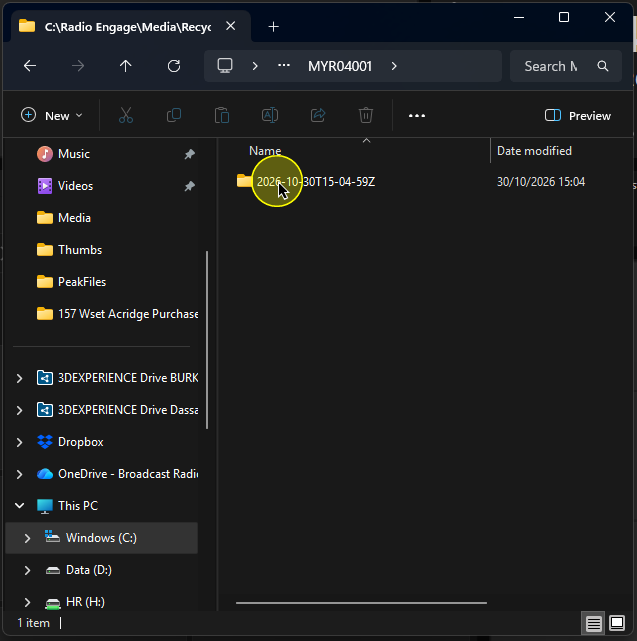
- There may be multiple deleted items for the selected Media ID. The date and time of deletion are included in the folder name.
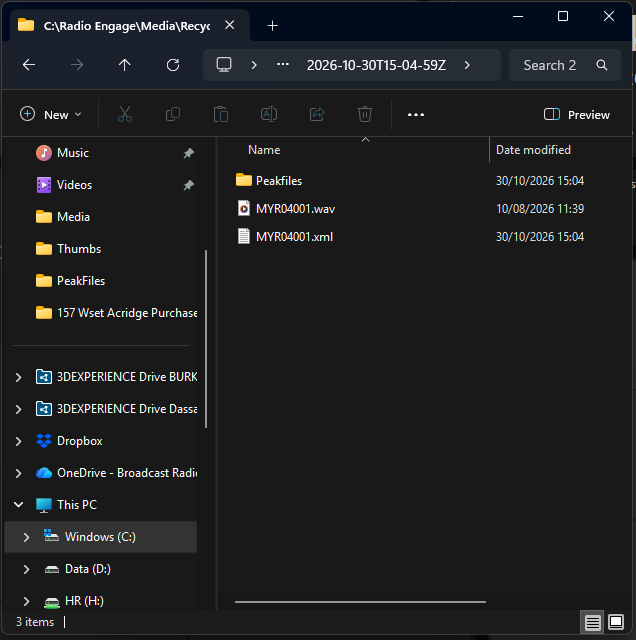
- If you open one of these folders, you will see the deleted audio file along with a .CSV file that includes key Myriad metadata.
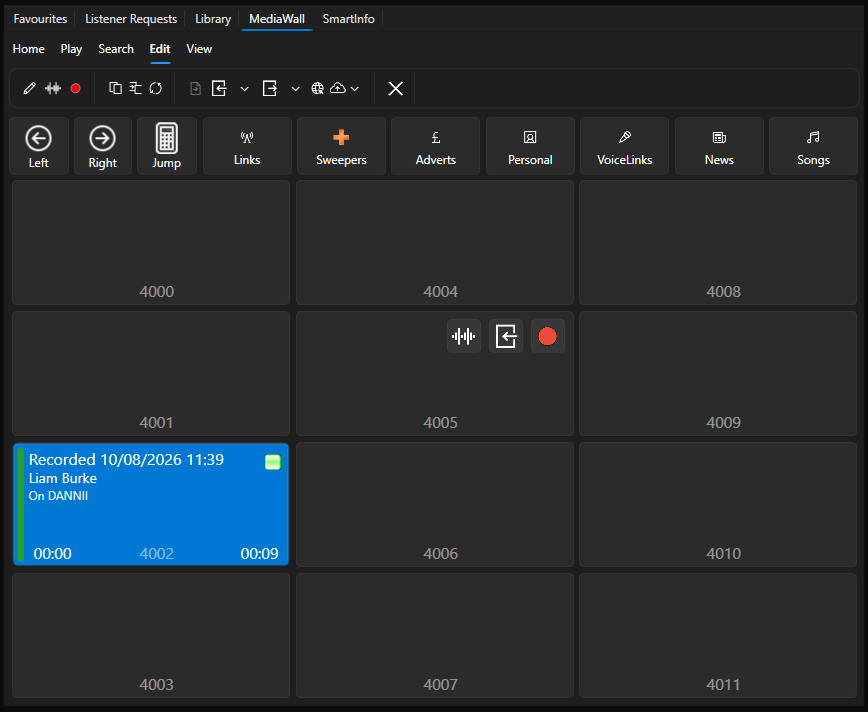
- You can drag these audio files directly onto the Myriad Media Wall to restore it back to it's original position or another location on the Media Wall.
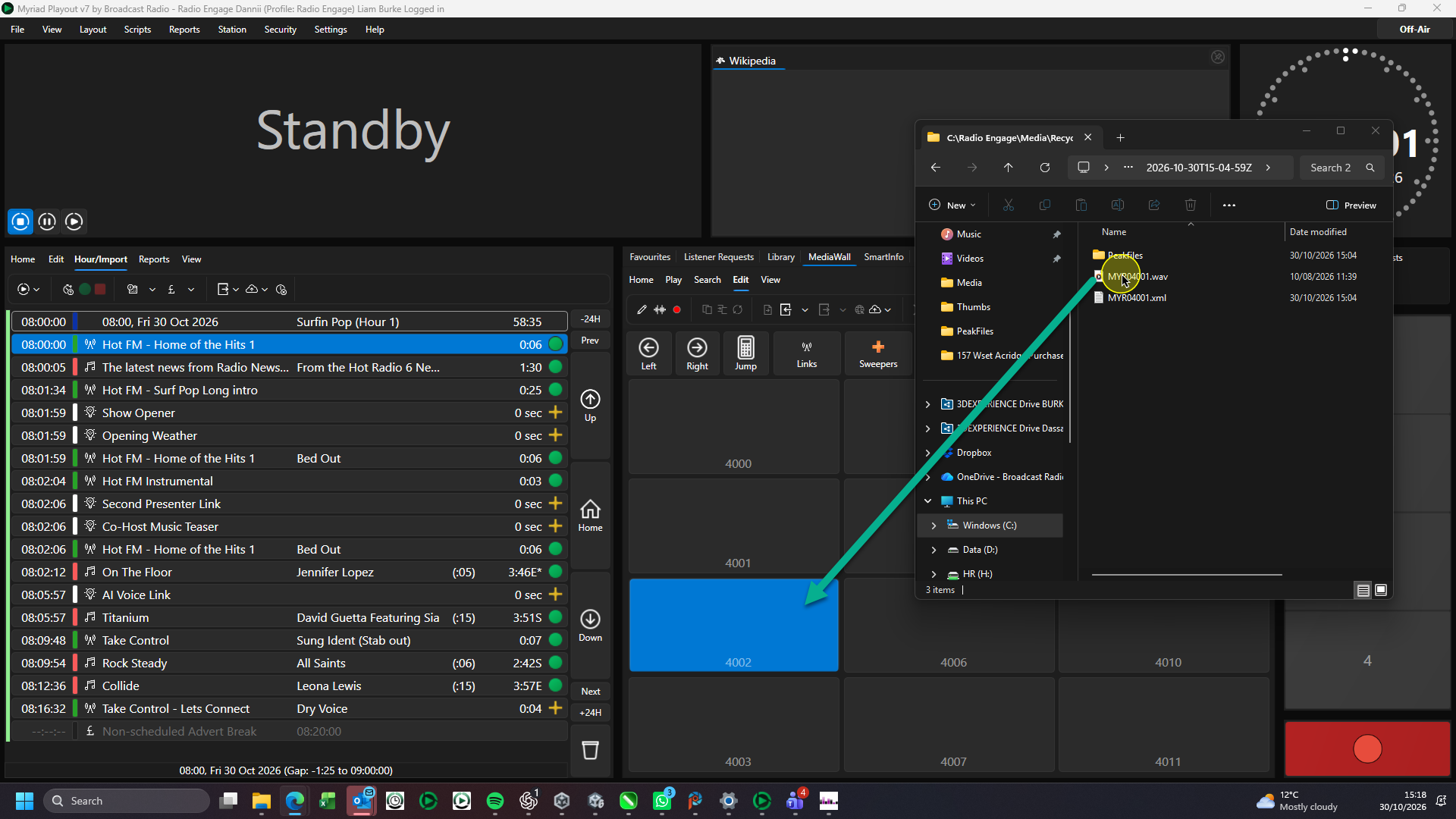
- The audio and metadate will be re-imported to the Media Wall.
Please note that deleted items are removed from the Media Item Recycle Bin after 30 days. You can alter this duration using Settings Menu > Database Settings > Media Wall tab > Automatically remove deleted items from 'Recycled' after X Days.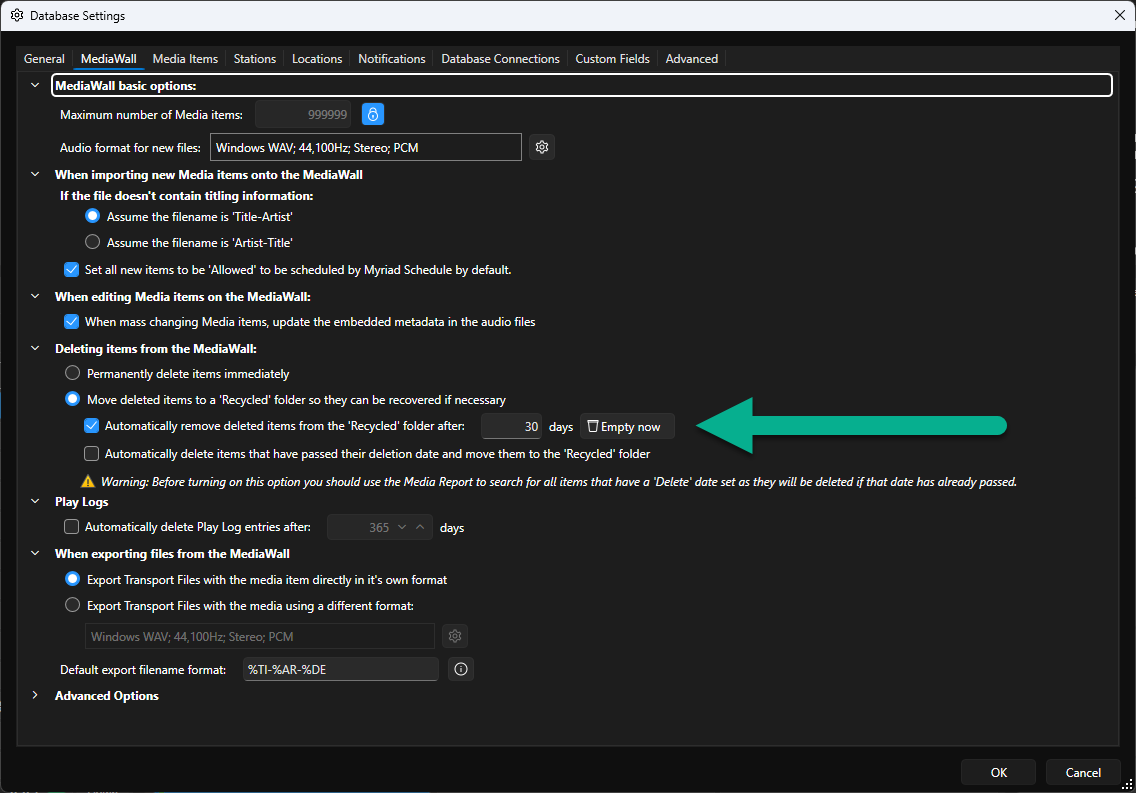
Was this article helpful?
That’s Great!
Thank you for your feedback
Sorry! We couldn't be helpful
Thank you for your feedback
Feedback sent
We appreciate your effort and will try to fix the article