In addition to manually creating a Show (see Adding A New Show), you can also use your linked ChatGPT account to automatically generate text content for a show. This is useful for automatically create publishable content for automated shows.
To add an AI populated Show, follow these steps:
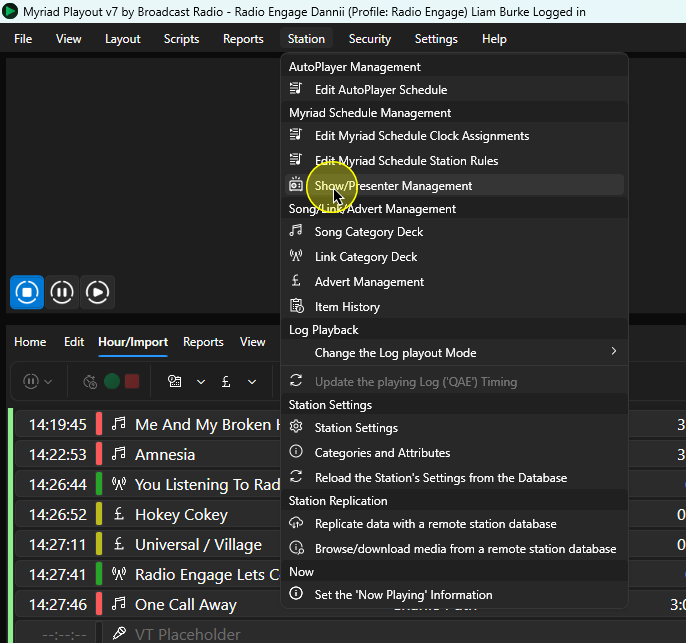
- In Myriad Playout, click on Station Menu > Show/Presenters Management.
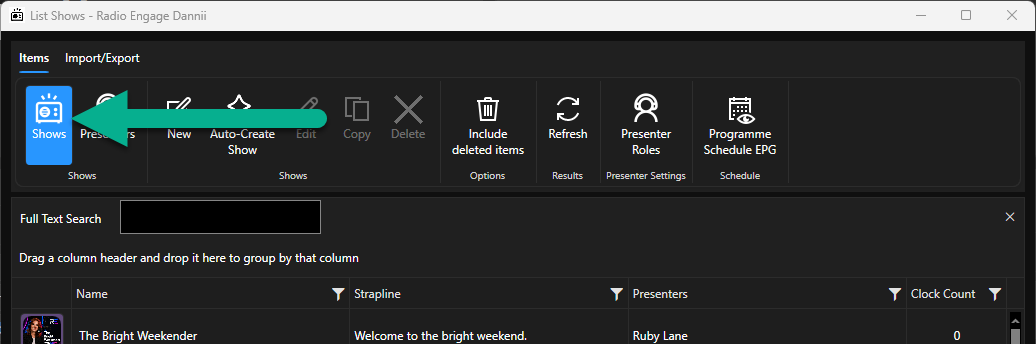
- Make sure Shows is selected.
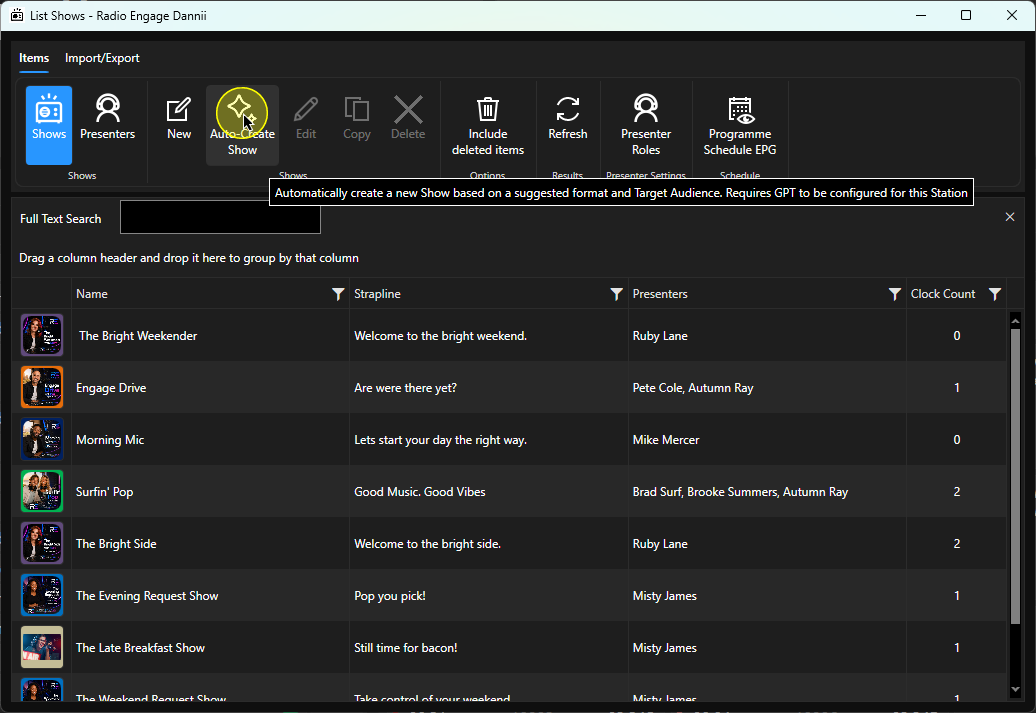
- Click on the Auto-Create Show button.
- Describe the Show Format and Target Audience to help create the show generation prompt.
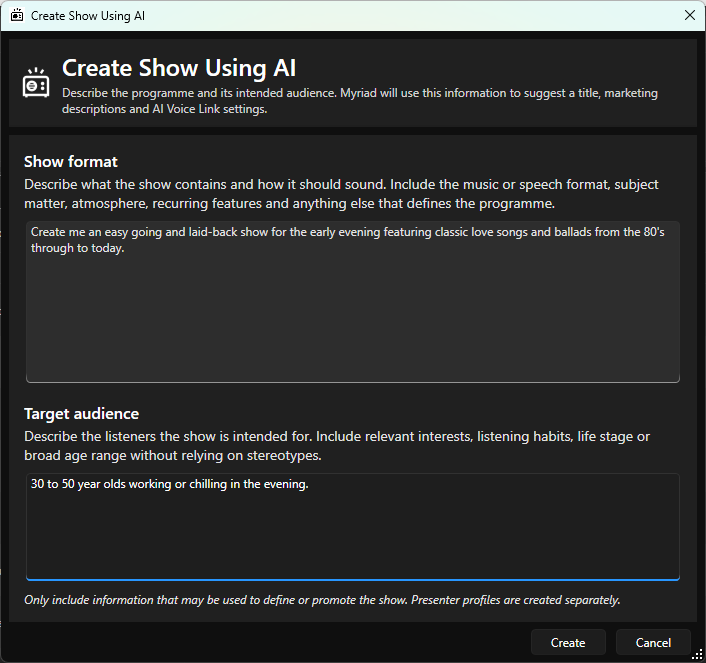
- Click on the Create button.
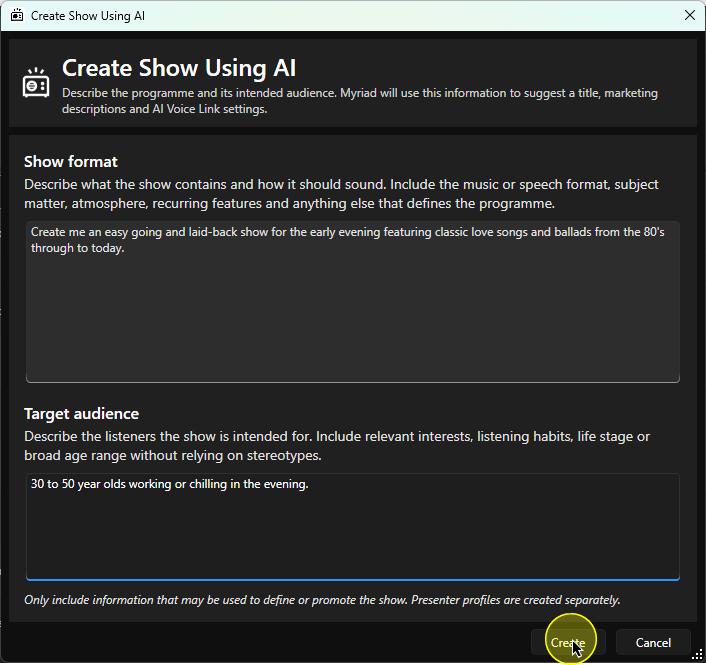
- The creation progress should only take a few seconds.

- Once completed, the new Show Details window will open.
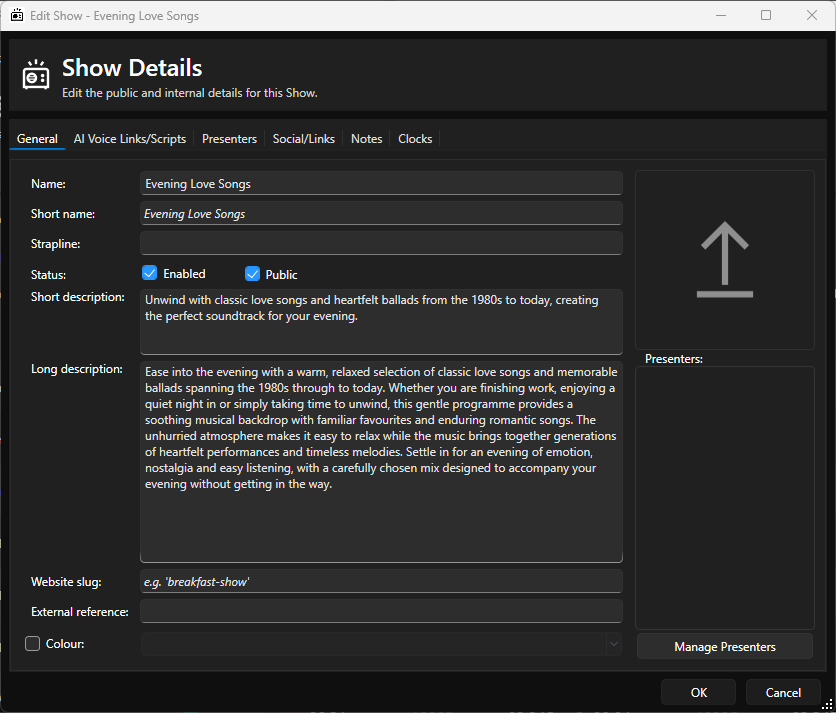
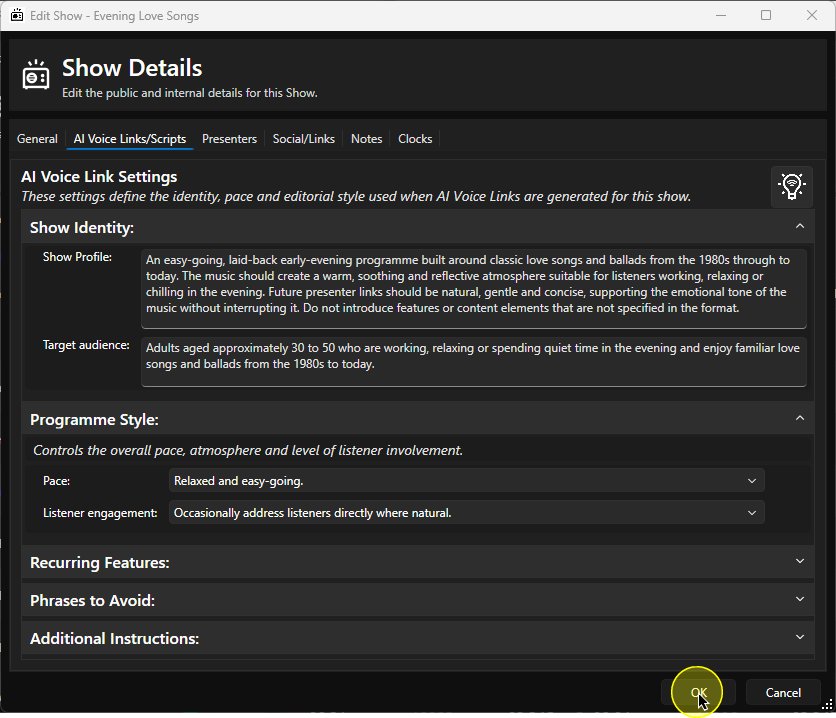
The system will have created:- Show Name
- Short Name
- Short Description
- Long Description
- AI Voice Link Show Profile
- AI Voice Link Target Audience
- AI Voice Link Pace
- AI Voice Link Listener Engagement
- Check all of these details carefully before using them.
- Assign a Presenter (if required) on the Presenters Tab.
- Add any additional information you like.
- Click OK to save the Show.
Was this article helpful?
That’s Great!
Thank you for your feedback
Sorry! We couldn't be helpful
Thank you for your feedback
Feedback sent
We appreciate your effort and will try to fix the article