The Admin Credentials option in the Myriad Cloud System Controls section provides access to key administrator information such as Read/Write OpenAPI keys, the Broadcast.Radio API key and the Administrator username and password.
You will need to be logged in with Administrator level credentials and you will also need to re-enter your password if you have not done so in the previous 30 minutes.
1. Login to your Broadcast.Radio portal.
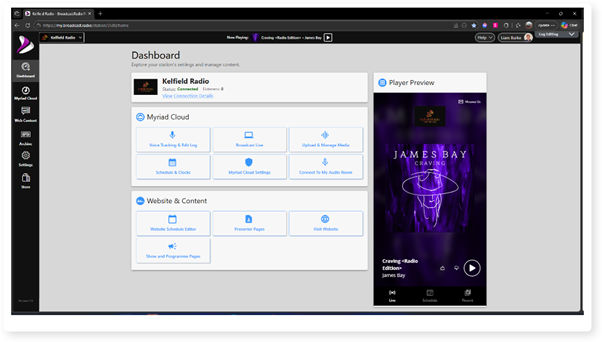
2. Click on the Settings menu option.
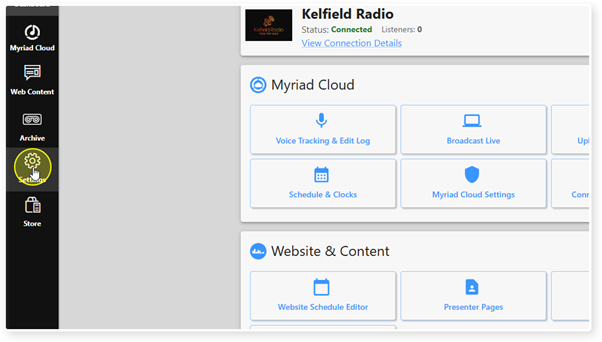
3. Expand the Myriad / Myriad Cloud option and select Control Panel.
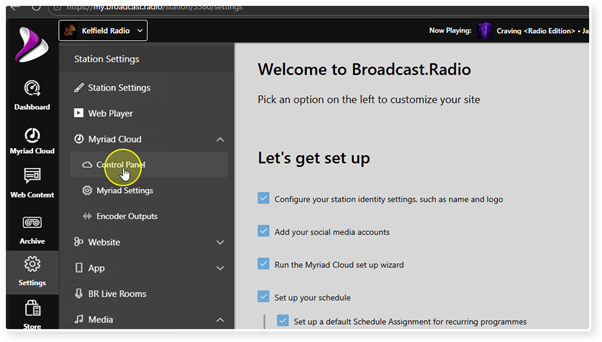
4. Click on the Admin Credentials button in the Myriad Cloud System Controls section.
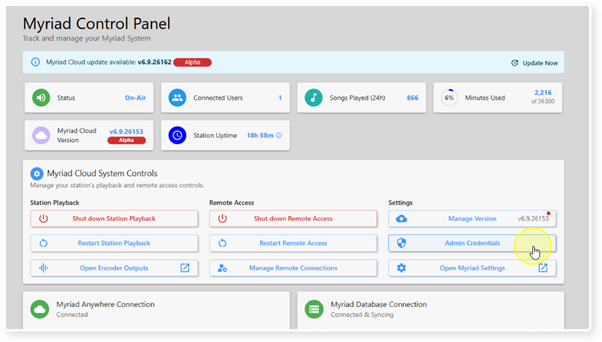
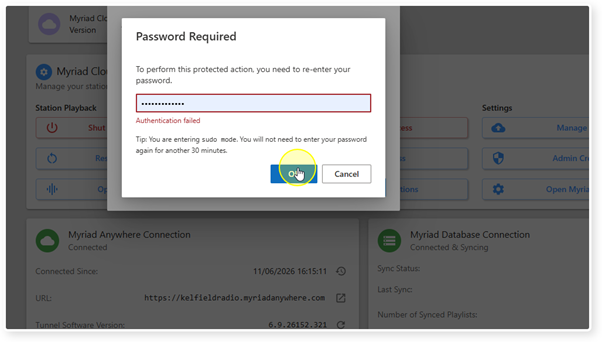
5. Confirm your administrator level password and click on OK.
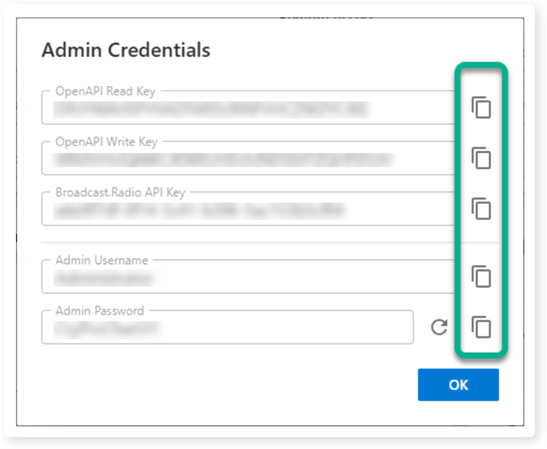
6. The following Admin Credentials can be accessed:
a. OpenAPI Read Key - Used for accessing OpenAPI for reading information (for using the REST API built into RES).
b. OpenAPI Write Key - Used for accessing OpenAPI for writing information (for using the REST API built into RES).
c. Broadcast.Radio API Key - Added to on-premise Myriad Playout systems to allow communications between Myriad Playout and Myriad Cloud.
d. Admin Username -The Username for the overall administrator.
e. Admin Password - The password for the overall administrator.
There is also a copy button to the right of each option to allow you to copy the data to the clipboard.
7. In the case of the Admin Password, you can click on the Regenerate button to generate a new random Admin password.

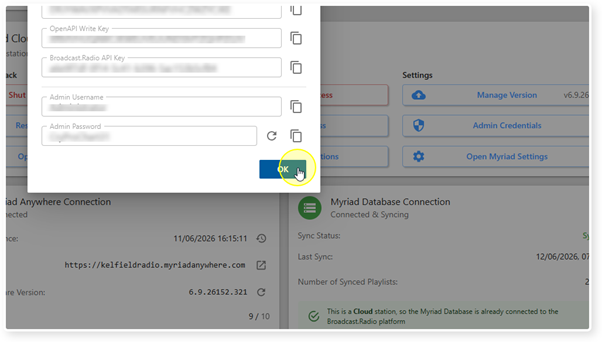
8. Click OK to close the window.
Was this article helpful?
That’s Great!
Thank you for your feedback
Sorry! We couldn't be helpful
Thank you for your feedback
Feedback sent
We appreciate your effort and will try to fix the article