Broadcast Radio Streaming customers have the option to use Primary and Backup mount points.
Basically, the station stream will default to the primary mount point, but will seamlessly move listeners to the backup mount point if no encoder if connected to the primary.
The most configuration is to have a backup audio source feeding an encoder that in turn feeds the Backup Mount Point.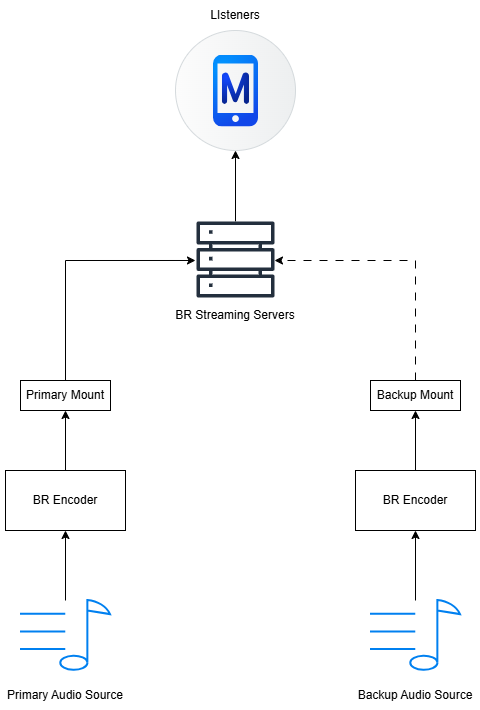
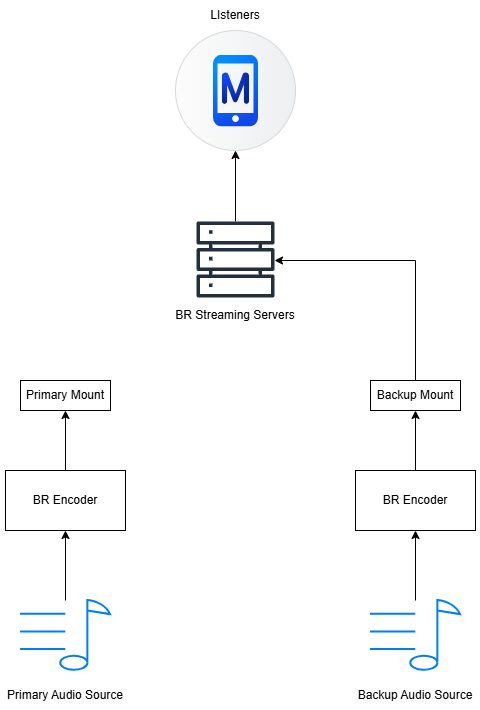
As soon as the primary encoder reconnects, the listeners are seamlessly transferred back to the primary audio source.
Hybrid Setup
For stations that run with a Hybrid model that blends Myriad Cloud with on premise Myriad Playout, we can use this functionality in a slightly different way.
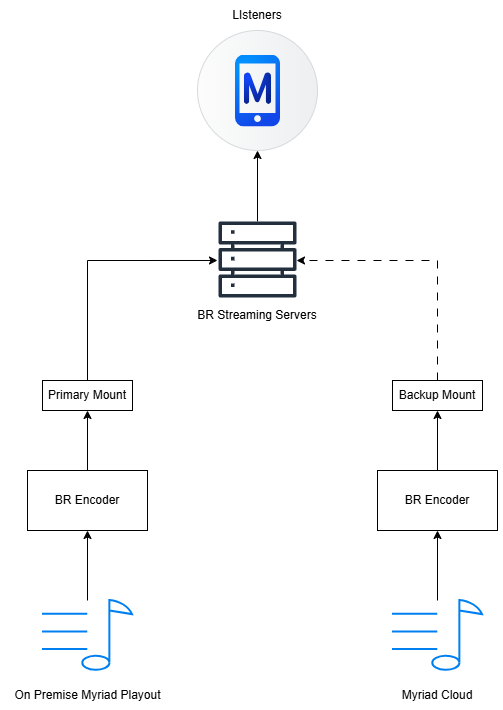
If Myriad Cloud is configured to connect to the Backup Mount Point and your on premise Myriad Playout / Studio is configured to connect to the Primary Mount Point then whether the Encoder from the on premise location is connected, the listener will get the audio from the on premise location.
If the on premise Encoder disconnects, the listener will be seamlessly transferred to the audio from Myriad Cloud.
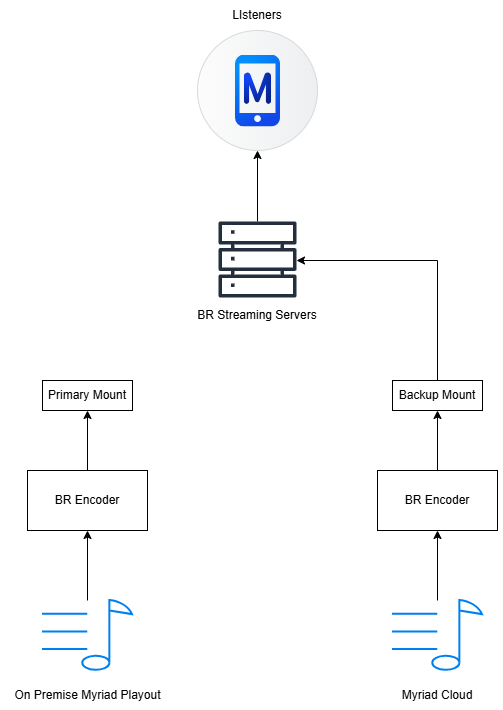
With this configuration the BR Encoder (or other encoder solution) effectively becomes an ‘air switch’ determining whether the listener hears audio from the studio or the Myriad Cloud system, and because you can control the BR Encoder using Commands in Myriad Playout, the switching could be automated.
For more details see – BR Encoder Commands Documentation.
Was this article helpful?
That’s Great!
Thank you for your feedback
Sorry! We couldn't be helpful
Thank you for your feedback
Feedback sent
We appreciate your effort and will try to fix the article