Whether you use Myriad Anywhere for remote access to your on-premise Myriad Playout system, or you are a Myriad Cloud customer, you can decide what credentials Users can use to login to remotely access and control your station.
You can set access to only allow Broadcast.Radio login credentials to access Myriad Anywhere or Myriad Cloud.
You can also set to only allow Myriad Directory credentials to login to Myriad Anywhere or Myriad Cloud.
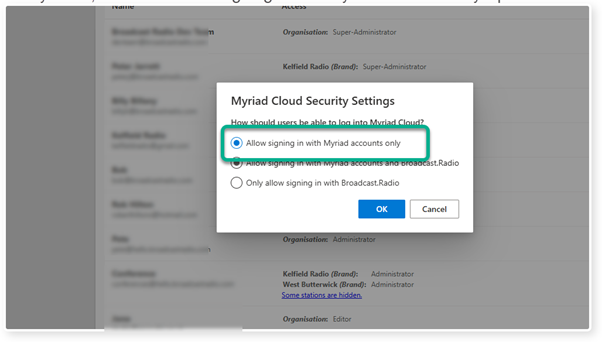
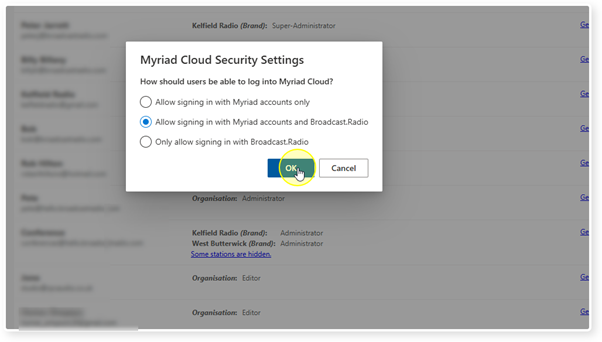
Finally, you can set both credential types to work with Myriad Anywhere or Myriad Cloud.
1. Login to your Broadcast.Radio portal.
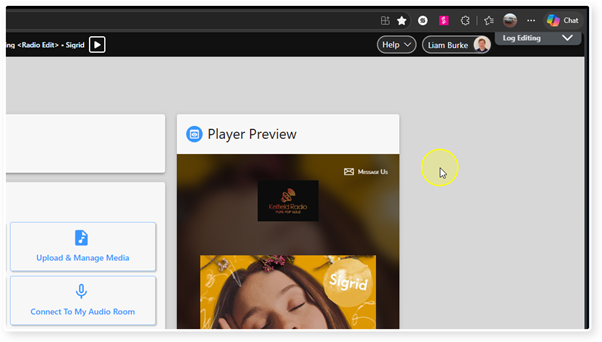
2. Select the Settings menu option.
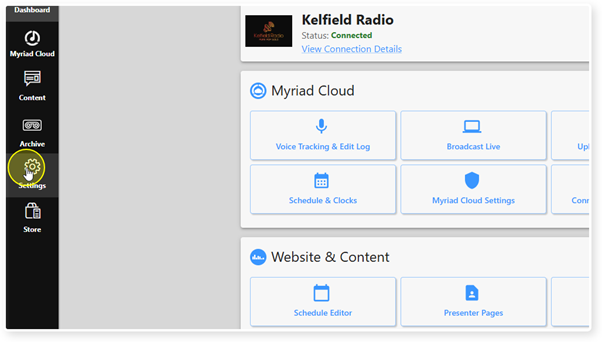
3. Click on Organisation Settings.
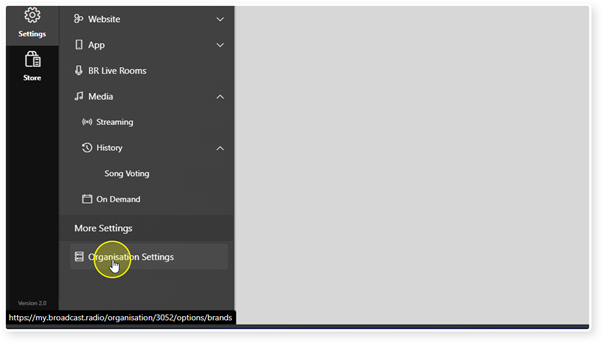
4. Select Users under the Users and Security section.
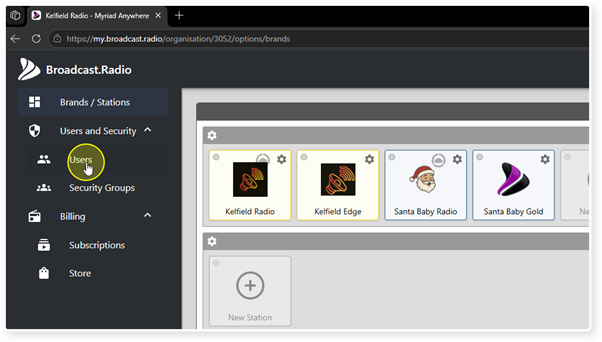
5. Click on the Settings button in the top right corner.
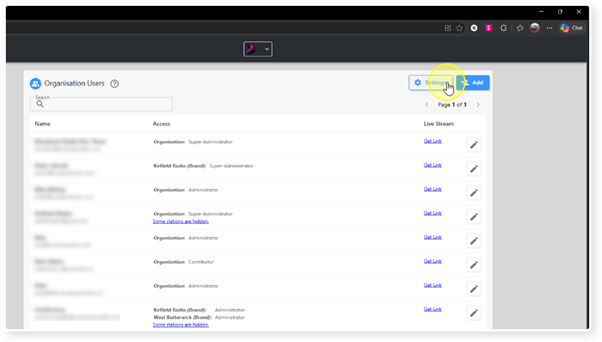
6. To only allow Myriad Directory accounts to login to Myriad Cloud or Myriad Anywhere, select the 'Allow signing in with Myriad accounts only' option.
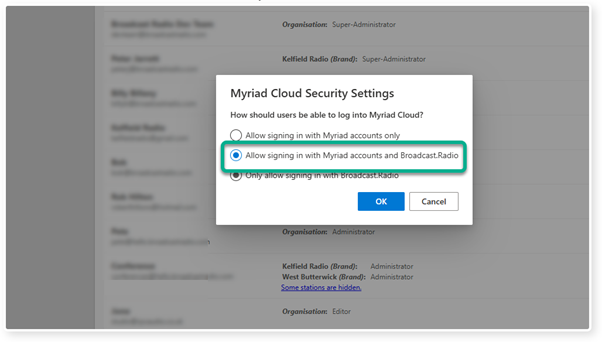
8. To only allow Broadcast.Radio accounts to login to Myriad Cloud or Myriad Anywhere, select the 'Only allow signing in with Broadcast.Radio' option.
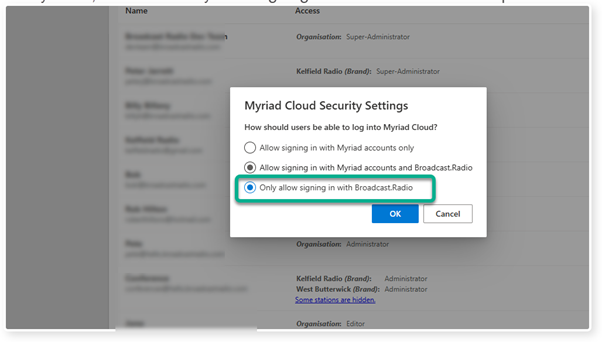
9. Once you have selected the option you want, click on the OK button.
Was this article helpful?
That’s Great!
Thank you for your feedback
Sorry! We couldn't be helpful
Thank you for your feedback
Feedback sent
We appreciate your effort and will try to fix the article